
Ver3.5 라라벨로 Web3 댓글·SNS 서비스 구축하기 🚀Laravel + Ethereum/Polygon으로 탈중앙화 소셜 플랫폼 만드는 완전 가이드
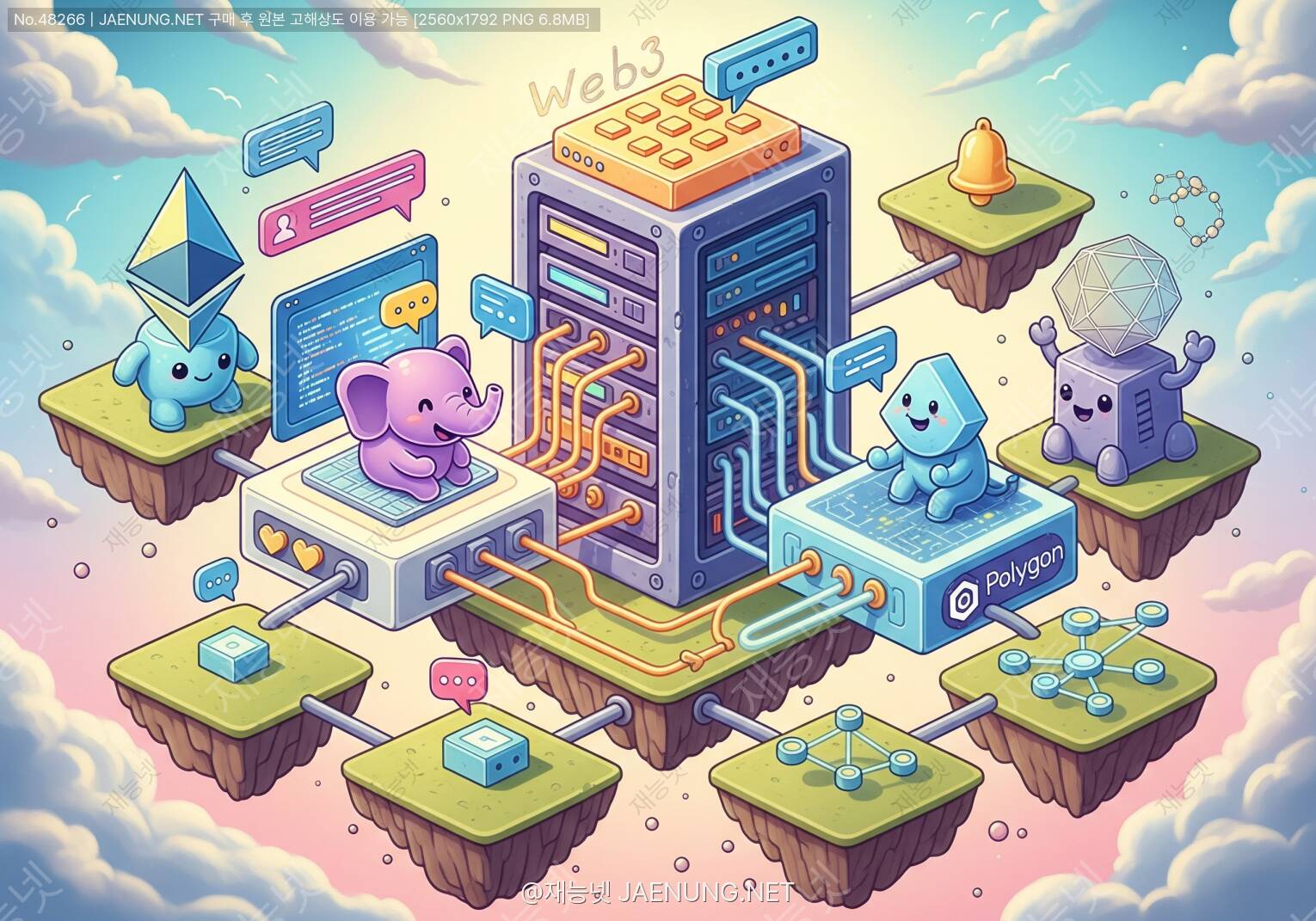
라라벨로 Web3 댓글·SNS 서비스 구축하기 🚀
Laravel + Ethereum/Polygon으로 탈중앙화 소셜 플랫폼 만드는 완전 가이드
블록체인 위에 올라타는 댓글과 SNS, 생각보다 훨씬 재밌어! 😄
🤔 왜 Web3 댓글·SNS인가? 진짜 필요한 이유
야, 솔직히 말해보자. 지금 우리가 쓰는 댓글 시스템이나 SNS, 다 어딘가 서버에 저장되잖아? 그 서버 주인이 마음만 먹으면 내 댓글 지우고, 계정 정지시키고, 심지어 데이터 팔아먹을 수도 있어. 😤
Web3 기반 댓글·SNS는 이런 문제를 근본적으로 해결해. 블록체인에 데이터를 올리면 검열 불가능하고, 소유권이 사용자에게 있고, 플랫폼이 망해도 데이터는 살아있어. 이게 바로 Web3의 핵심 가치야!
그렇다고 모든 걸 블록체인에 올리면 비용이 어마어마하게 나와. 그래서 우리가 할 건 하이브리드 아키텍처야. 라라벨이 백엔드를 담당하고, 중요한 데이터(소유권, 인증, 핵심 콘텐츠 해시)는 블록체인에, 나머지는 전통적인 DB에 저장하는 방식이지. 이게 현실적이고 실용적인 Web3 서비스의 정석이야! 👍
🏗️ 전체 아키텍처 설계: 큰 그림 먼저 보자
코드 치기 전에 전체 구조를 머릿속에 넣어야 해. 우리가 만들 시스템은 크게 세 레이어로 나뉘어.
오프체인(Off-chain): 실제 댓글 텍스트(IPFS), 메타데이터(MySQL), 캐시(Redis)
라라벨 역할: 두 세계를 연결하는 브릿지 + 전통적 백엔드 기능 담당
🛠️ 개발 환경 세팅: 필요한 도구들 챙기기
자, 이제 본격적으로 시작해보자! 먼저 필요한 도구들을 설치해야 해. 하나씩 차근차근 따라와봐. 😊
필수 설치 목록
기본 중의 기본! PHP 8.1 이상이 필요해.
composer create-project laravel/laravel web3-social
cd web3-social
php artisan key:generate라라벨에서 블록체인과 통신하려면 이 패키지가 필요해.
composer require web3p/web3.php
composer require kornrunner/keccak
composer require simplito/elliptic-php프론트엔드에서 블록체인 연동에 필요한 패키지들이야.
npm install ethers
npm install @metamask/detect-provider
npm install ipfs-http-client
npm install @web3-react/core스마트 컨트랙트 작성, 테스트, 배포를 위한 개발 환경이야.
npm install --save-dev hardhat
npx hardhat init
npm install --save-dev @nomicfoundation/hardhat-toolboxBLOCKCHAIN_NETWORK=polygon_mumbai
INFURA_PROJECT_ID=your_infura_id
ALCHEMY_API_KEY=your_alchemy_key
CONTRACT_ADDRESS=0x...
PRIVATE_KEY=your_private_key
IPFS_API_URL=https://ipfs.infura.io:5001
IPFS_GATEWAY=https://ipfs.io/ipfs/📝 스마트 컨트랙트 작성: 댓글 시스템의 심장
이제 진짜 핵심이야! 스마트 컨트랙트는 블록체인 위에서 실행되는 프로그램인데, 한 번 배포하면 수정이 불가능해. 그래서 설계를 잘 해야 해. 우리는 Solidity로 작성할 거야. 🔥
댓글 컨트랙트 (SocialComment.sol)
// SPDX-License-Identifier: MIT
pragma solidity ^0.8.19;

contract SocialComment {
    // 댓글 구조체
    struct Comment {
        uint256 id;
        address author;      // 작성자 지갑 주소
        string contentHash;  // IPFS 해시 (실제 내용)
        uint256 postId;      // 연결된 포스트 ID
        uint256 timestamp;
        uint256 likes;
        bool isDeleted;
    }

    // 포스트 구조체
    struct Post {
        uint256 id;
        address author;
        string contentHash;  // IPFS 해시
        uint256 timestamp;
        uint256 commentCount;
        uint256 likes;
        bool isDeleted;
    }

    // 상태 변수
    uint256 private postCounter;
    uint256 private commentCounter;

    mapping(uint256 => Post) public posts;
    mapping(uint256 => Comment) public comments;
    mapping(uint256 => uint256[]) public postComments;
    mapping(address => uint256[]) public userPosts;
    mapping(address => mapping(uint256 => bool)) public hasLikedPost;
    mapping(address => mapping(uint256 => bool)) public hasLikedComment;

    // 이벤트
    event PostCreated(uint256 indexed postId, address indexed author, string contentHash);
    event CommentCreated(uint256 indexed commentId, uint256 indexed postId, address indexed author);
    event PostLiked(uint256 indexed postId, address indexed liker);
    event CommentLiked(uint256 indexed commentId, address indexed liker);

    // 포스트 작성
    function createPost(string memory _contentHash) external returns (uint256) {
        postCounter++;
        posts[postCounter] = Post({
            id: postCounter,
            author: msg.sender,
            contentHash: _contentHash,
            timestamp: block.timestamp,
            commentCount: 0,
            likes: 0,
            isDeleted: false
        });
        userPosts[msg.sender].push(postCounter);
        emit PostCreated(postCounter, msg.sender, _contentHash);
        return postCounter;
    }

    // 댓글 작성
    function createComment(uint256 _postId, string memory _contentHash)
        external returns (uint256) {
        require(posts[_postId].id != 0, "Post does not exist");
        require(!posts[_postId].isDeleted, "Post is deleted");

        commentCounter++;
        comments[commentCounter] = Comment({
            id: commentCounter,
            author: msg.sender,
            contentHash: _contentHash,
            postId: _postId,
            timestamp: block.timestamp,
            likes: 0,
            isDeleted: false
        });

        postComments[_postId].push(commentCounter);
        posts[_postId].commentCount++;

        emit CommentCreated(commentCounter, _postId, msg.sender);
        return commentCounter;
    }

    // 포스트 좋아요
    function likePost(uint256 _postId) external {
        require(!hasLikedPost[msg.sender][_postId], "Already liked");
        hasLikedPost[msg.sender][_postId] = true;
        posts[_postId].likes++;
        emit PostLiked(_postId, msg.sender);
    }

    // 포스트 조회
    function getPost(uint256 _postId) external view returns (Post memory) {
        return posts[_postId];
    }

    // 포스트의 댓글 목록 조회
    function getPostComments(uint256 _postId)
        external view returns (uint256[] memory) {
        return postComments[_postId];
    }
}contentHash에는 실제 텍스트가 아닌 IPFS 해시를 저장해. 가스비 절약!• 삭제는 실제로 지우지 않고
isDeleted 플래그만 바꿔. 블록체인은 불변이니까!• 이벤트(Event)를 잘 활용하면 라라벨에서 변경사항을 실시간으로 감지할 수 있어.
사용자 프로필 컨트랙트 (UserProfile.sol)
// SPDX-License-Identifier: MIT
pragma solidity ^0.8.19;

contract UserProfile {
    struct Profile {
        address wallet;
        string username;
        string bio;
        string avatarHash;   // IPFS 해시
        uint256 createdAt;
        uint256 followerCount;
        uint256 followingCount;
    }

    mapping(address => Profile) public profiles;
    mapping(address => mapping(address => bool)) public isFollowing;
    mapping(address => bool) public hasProfile;

    event ProfileCreated(address indexed user, string username);
    event ProfileUpdated(address indexed user);
    event Followed(address indexed follower, address indexed following);
    event Unfollowed(address indexed follower, address indexed following);

    // 프로필 생성
    function createProfile(
        string memory _username,
        string memory _bio,
        string memory _avatarHash
    ) external {
        require(!hasProfile[msg.sender], "Profile already exists");
        require(bytes(_username).length > 0, "Username required");

        profiles[msg.sender] = Profile({
            wallet: msg.sender,
            username: _username,
            bio: _bio,
            avatarHash: _avatarHash,
            createdAt: block.timestamp,
            followerCount: 0,
            followingCount: 0
        });

        hasProfile[msg.sender] = true;
        emit ProfileCreated(msg.sender, _username);
    }

    // 팔로우
    function follow(address _target) external {
        require(_target != msg.sender, "Cannot follow yourself");
        require(!isFollowing[msg.sender][_target], "Already following");

        isFollowing[msg.sender][_target] = true;
        profiles[msg.sender].followingCount++;
        profiles[_target].followerCount++;

        emit Followed(msg.sender, _target);
    }

    // 언팔로우
    function unfollow(address _target) external {
        require(isFollowing[msg.sender][_target], "Not following");

        isFollowing[msg.sender][_target] = false;
        profiles[msg.sender].followingCount--;
        profiles[_target].followerCount--;

        emit Unfollowed(msg.sender, _target);
    }
}
Hardhat으로 배포하기
// scripts/deploy.js
const { ethers } = require("hardhat");

async function main() {
    const [deployer] = await ethers.getSigners();
    console.log("배포 계정:", deployer.address);

    // SocialComment 배포
    const SocialComment = await ethers.getContractFactory("SocialComment");
    const socialComment = await SocialComment.deploy();
    await socialComment.waitForDeployment();
    console.log("SocialComment 주소:", await socialComment.getAddress());

    // UserProfile 배포
    const UserProfile = await ethers.getContractFactory("UserProfile");
    const userProfile = await UserProfile.deploy();
    await userProfile.waitForDeployment();
    console.log("UserProfile 주소:", await userProfile.getAddress());
}

main().catch((error) => {
    console.error(error);
    process.exitCode = 1;
});

// 배포 명령어
// npx hardhat run scripts/deploy.js --network polygon_mumbai
🔐 지갑 기반 인증 시스템: MetaMask로 로그인하기
Web3에서는 아이디/비밀번호 대신 지갑 서명으로 인증해. 사용자가 메시지에 서명하면, 서버에서 그 서명을 검증해서 "이 사람이 진짜 이 지갑 주인이다"를 확인하는 방식이야. 이게 바로 SIWE (Sign-In with Ethereum) 패턴이야! 🔑
라라벨 인증 컨트롤러
<?php
// app/Http/Controllers/Web3AuthController.php

namespace App\Http\Controllers;

use Illuminate\Http\Request;
use Illuminate\Support\Facades\Auth;
use Illuminate\Support\Facades\Cache;
use App\Models\User;
use Web3\Web3;
use Elliptic\EC;
use kornrunner\Keccak;

class Web3AuthController extends Controller
{
    // 1단계: 논스(nonce) 발급
    public function getNonce(Request $request)
    {
        $address = strtolower($request->address);

        // 랜덤 논스 생성 (재사용 공격 방지)
        $nonce = bin2hex(random_bytes(16));

        // 5분간 캐시에 저장
        Cache::put("nonce_{$address}", $nonce, 300);

        $message = "Web3 SNS에 로그인합니다.\n\n" .
                   "지갑 주소: {$address}\n" .
                   "논스: {$nonce}\n" .
                   "시간: " . now()->toIso8601String();

        return response()->json([
            'nonce' => $nonce,
            'message' => $message
        ]);
    }

    // 2단계: 서명 검증 및 로그인
    public function verifySignature(Request $request)
    {
        $request->validate([
            'address' => 'required|string',
            'signature' => 'required|string',
            'message' => 'required|string',
        ]);

        $address = strtolower($request->address);
        $signature = $request->signature;
        $message = $request->message;

        // 캐시에서 논스 확인
        $cachedNonce = Cache::get("nonce_{$address}");
        if (!$cachedNonce || !str_contains($message, $cachedNonce)) {
            return response()->json(['error' => '유효하지 않은 논스'], 401);
        }

        // 서명 검증
        if (!$this->verifyEthSignature($message, $signature, $address)) {
            return response()->json(['error' => '서명 검증 실패'], 401);
        }

        // 논스 삭제 (재사용 방지)
        Cache::forget("nonce_{$address}");

        // 사용자 찾기 또는 생성
        $user = User::firstOrCreate(
            ['wallet_address' => $address],
            [
                'name' => '0x' . substr($address, 2, 6) . '...',
                'email' => $address . '@web3.local',
                'password' => bcrypt(str_random(32)),
            ]
        );

        // Sanctum 토큰 발급
        $token = $user->createToken('web3-auth')->plainTextToken;

        return response()->json([
            'token' => $token,
            'user' => $user,
            'message' => '로그인 성공! 🎉'
        ]);
    }

    // 이더리움 서명 검증 메서드
    private function verifyEthSignature(string $message, string $signature, string $address): bool
    {
        try {
            // 이더리움 서명 메시지 포맷
            $msgHash = Keccak::hash(
                "\x19Ethereum Signed Message:\n" . strlen($message) . $message,
                256
            );

            // 서명에서 r, s, v 추출
            $sig = substr($signature, 2); // 0x 제거
            $r = substr($sig, 0, 64);
            $s = substr($sig, 64, 64);
            $v = hexdec(substr($sig, 128, 2));

            if ($v < 27) $v += 27;

            // EC 복구
            $ec = new EC('secp256k1');
            $recoveredKey = $ec->recoverPubKey(
                $msgHash,
                ['r' => $r, 's' => $s],
                $v - 27
            );

            // 공개키에서 주소 추출
            $publicKey = $recoveredKey->encode('hex');
            $publicKeyHash = Keccak::hash(hex2bin(substr($publicKey, 2)), 256);
            $recoveredAddress = '0x' . substr($publicKeyHash, -40);

            return strtolower($recoveredAddress) === strtolower($address);
        } catch (\Exception $e) {
            return false;
        }
    }
}
프론트엔드 MetaMask 연동 (JavaScript)
// resources/js/web3Auth.js
import { ethers } from 'ethers';

class Web3Auth {
    constructor() {
        this.provider = null;
        this.signer = null;
        this.address = null;
    }

    // MetaMask 연결
    async connect() {
        if (!window.ethereum) {
            alert('MetaMask를 설치해주세요! 🦊');
            return null;
        }

        try {
            this.provider = new ethers.BrowserProvider(window.ethereum);
            const accounts = await this.provider.send('eth_requestAccounts', []);
            this.signer = await this.provider.getSigner();
            this.address = accounts[0];

            console.log('연결된 지갑:', this.address);
            return this.address;
        } catch (error) {
            console.error('연결 실패:', error);
            return null;
        }
    }

    // SIWE 로그인
    async signIn() {
        if (!this.address) {
            await this.connect();
        }

        // 1단계: 서버에서 논스 받기
        const nonceResponse = await fetch('/api/auth/nonce', {
            method: 'POST',
            headers: { 'Content-Type': 'application/json' },
            body: JSON.stringify({ address: this.address })
        });
        const { message } = await nonceResponse.json();

        // 2단계: 메시지 서명
        const signature = await this.signer.signMessage(message);

        // 3단계: 서버에 서명 전송
        const authResponse = await fetch('/api/auth/verify', {
            method: 'POST',
            headers: { 'Content-Type': 'application/json' },
            body: JSON.stringify({
                address: this.address,
                signature: signature,
                message: message
            })
        });

        const result = await authResponse.json();

        if (result.token) {
            localStorage.setItem('auth_token', result.token);
            localStorage.setItem('wallet_address', this.address);
            console.log('로그인 성공! 🎉');
            return result;
        }
    }
}

export default new Web3Auth();• 타임스탬프: 메시지에 시간을 포함시켜 오래된 서명 무효화
• 캐시 TTL: 논스는 5분 후 자동 만료
• 소문자 정규화: 이더리움 주소는 항상 소문자로 비교
📦 IPFS 연동: 콘텐츠 분산 저장하기
댓글 내용을 직접 블록체인에 저장하면 가스비가 엄청나게 나와. 그래서 실제 텍스트는 IPFS(InterPlanetary File System)에 저장하고, 그 해시값만 블록체인에 올리는 거야. IPFS는 분산 파일 시스템이라 검열도 불가능하고 영구적이야! 🌐
라라벨 IPFS 서비스
<?php
// app/Services/IPFSService.php

namespace App\Services;

use Illuminate\Support\Facades\Http;
use Illuminate\Support\Facades\Log;

class IPFSService
{
    private string $apiUrl;
    private string $gateway;

    public function __construct()
    {
        $this->apiUrl = config('web3.ipfs_api_url');
        $this->gateway = config('web3.ipfs_gateway');
    }

    // 콘텐츠를 IPFS에 업로드
    public function upload(array $content): string
    {
        $jsonContent = json_encode($content, JSON_UNESCAPED_UNICODE);

        $response = Http::withHeaders([
            'Authorization' => 'Basic ' . base64_encode(
                config('web3.ipfs_project_id') . ':' .
                config('web3.ipfs_project_secret')
            )
        ])->attach('file', $jsonContent, 'content.json')
          ->post($this->apiUrl . '/api/v0/add');

        if ($response->successful()) {
            $hash = $response->json('Hash');
            Log::info("IPFS 업로드 성공: {$hash}");
            return $hash;
        }

        throw new \Exception('IPFS 업로드 실패: ' . $response->body());
    }

    // IPFS에서 콘텐츠 가져오기
    public function fetch(string $hash): array
    {
        $url = $this->gateway . $hash;

        $response = Http::timeout(30)->get($url);

        if ($response->successful()) {
            return $response->json();
        }

        throw new \Exception("IPFS 콘텐츠 조회 실패: {$hash}");
    }

    // 댓글 데이터 구조 생성
    public function createCommentData(
        string $text,
        string $authorAddress,
        ?string $parentHash = null
    ): array {
        return [
            'version' => '1.0',
            'type' => 'comment',
            'content' => $text,
            'author' => $authorAddress,
            'parent' => $parentHash,
            'timestamp' => now()->toIso8601String(),
            'platform' => 'Web3 SNS by Laravel',
        ];
    }

    // 포스트 데이터 구조 생성
    public function createPostData(
        string $text,
        string $authorAddress,
        array $media = []
    ): array {
        return [
            'version' => '1.0',
            'type' => 'post',
            'content' => $text,
            'author' => $authorAddress,
            'media' => $media,
            'timestamp' => now()->toIso8601String(),
            'platform' => 'Web3 SNS by Laravel',
        ];
    }
}
댓글 작성 플로우
<?php
// app/Http/Controllers/CommentController.php

namespace App\Http\Controllers;

use Illuminate\Http\Request;
use App\Services\IPFSService;
use App\Services\BlockchainService;
use App\Models\Comment;

class CommentController extends Controller
{
    public function __construct(
        private IPFSService $ipfs,
        private BlockchainService $blockchain
    ) {}

    // 댓글 작성 (오프체인 방식 - 서버가 트랜잭션 처리)
    public function store(Request $request)
    {
        $request->validate([
            'post_id' => 'required|integer',
            'content' => 'required|string|max:1000',
            'tx_hash' => 'required|string', // 프론트에서 이미 트랜잭션 보낸 경우
        ]);

        $user = $request->user();

        // IPFS에 댓글 내용 저장
        $commentData = $this->ipfs->createCommentData(
            $request->content,
            $user->wallet_address
        );
        $ipfsHash = $this->ipfs->upload($commentData);

        // 트랜잭션 확인 (비동기 처리)
        $comment = Comment::create([
            'user_id' => $user->id,
            'post_id' => $request->post_id,
            'ipfs_hash' => $ipfsHash,
            'tx_hash' => $request->tx_hash,
            'content_preview' => substr($request->content, 0, 100),
            'status' => 'pending', // 트랜잭션 확인 대기
        ]);

        // 큐에 트랜잭션 확인 작업 추가
        \App\Jobs\VerifyTransaction::dispatch($comment, $request->tx_hash);

        return response()->json([
            'comment' => $comment,
            'ipfs_hash' => $ipfsHash,
            'message' => '댓글이 블록체인에 기록되고 있어요! ⛓️'
        ], 201);
    }

    // 댓글 목록 조회 (DB + IPFS 조합)
    public function index(Request $request, int $postId)
    {
        $comments = Comment::where('post_id', $postId)
            ->where('status', 'confirmed')
            ->with('user')
            ->orderBy('created_at', 'desc')
            ->paginate(20);

        return response()->json($comments);
    }
}
⚙️ 블록체인 서비스 레이어: 라라벨과 이더리움 연결
라라벨 백엔드에서 스마트 컨트랙트를 직접 호출하거나 이벤트를 감지하는 서비스를 만들어보자. 이 부분이 Web3 백엔드 개발의 핵심이야! 💪
<?php
// app/Services/BlockchainService.php

namespace App\Services;

use Web3\Web3;
use Web3\Contract;
use Web3\Providers\HttpProvider;
use Web3\RequestManagers\HttpRequestManager;
use Illuminate\Support\Facades\Log;
use Illuminate\Support\Facades\Cache;

class BlockchainService
{
    private Web3 $web3;
    private Contract $commentContract;
    private Contract $profileContract;
    private string $contractAddress;

    public function __construct()
    {
        $rpcUrl = config('web3.rpc_url');
        $this->web3 = new Web3(new HttpProvider(
            new HttpRequestManager($rpcUrl, 30)
        ));

        $this->contractAddress = config('web3.contract_address');

        // ABI 로드 (배포 후 생성된 JSON 파일)
        $abi = json_decode(
            file_get_contents(base_path('contracts/SocialComment.json')),
            true
        )['abi'];

        $this->commentContract = new Contract(
            $this->web3->provider,
            $abi
        );
        $this->commentContract->at($this->contractAddress);
    }

    // 트랜잭션 상태 확인
    public function getTransactionStatus(string $txHash): array
    {
        $receipt = null;

        $this->web3->eth->getTransactionReceipt($txHash, function($err, $result) use (&$receipt) {
            if ($err) {
                Log::error("트랜잭션 조회 오류: " . $err->getMessage());
                return;
            }
            $receipt = $result;
        });

        if (!$receipt) {
            return ['status' => 'pending'];
        }

        return [
            'status' => $receipt->status === '0x1' ? 'confirmed' : 'failed',
            'block_number' => hexdec($receipt->blockNumber),
            'gas_used' => hexdec($receipt->gasUsed),
        ];
    }

    // 포스트 온체인 데이터 조회
    public function getPost(int $postId): ?array
    {
        $cacheKey = "post_onchain_{$postId}";

        return Cache::remember($cacheKey, 300, function() use ($postId) {
            $post = null;

            $this->commentContract->call('getPost', $postId, function($err, $result) use (&$post) {
                if ($err) {
                    Log::error("포스트 조회 오류: " . $err->getMessage());
                    return;
                }
                $post = $result;
            });

            return $post ? [
                'id' => (int) $post[0]->toString(),
                'author' => $post[1],
                'content_hash' => $post[2],
                'timestamp' => (int) $post[3]->toString(),
                'comment_count' => (int) $post[4]->toString(),
                'likes' => (int) $post[5]->toString(),
            ] : null;
        });
    }

    // 최신 블록 번호 조회
    public function getLatestBlock(): int
    {
        $blockNumber = 0;

        $this->web3->eth->blockNumber(function($err, $result) use (&$blockNumber) {
            if (!$err) {
                $blockNumber = hexdec($result->toString());
            }
        });

        return $blockNumber;
    }

    // 이벤트 로그 조회 (새 댓글 감지)
    public function getNewComments(int $fromBlock, int $toBlock): array
    {
        $events = [];

        $this->commentContract->getPastEvents('CommentCreated', [
            'fromBlock' => '0x' . dechex($fromBlock),
            'toBlock' => '0x' . dechex($toBlock),
        ], function($err, $result) use (&$events) {
            if (!$err && $result) {
                $events = $result;
            }
        });

        return $events;
    }
}
트랜잭션 확인 Job (비동기 처리)
<?php
// app/Jobs/VerifyTransaction.php

namespace App\Jobs;

use Illuminate\Bus\Queueable;
use Illuminate\Contracts\Queue\ShouldQueue;
use Illuminate\Foundation\Bus\Dispatchable;
use Illuminate\Queue\InteractsWithQueue;
use App\Models\Comment;
use App\Services\BlockchainService;

class VerifyTransaction implements ShouldQueue
{
    use Dispatchable, InteractsWithQueue, Queueable;

    public int $tries = 10;        // 최대 10번 재시도
    public int $backoff = 30;      // 30초 간격으로 재시도

    public function __construct(
        private Comment $comment,
        private string $txHash
    ) {}

    public function handle(BlockchainService $blockchain): void
    {
        $status = $blockchain->getTransactionStatus($this->txHash);

        if ($status['status'] === 'pending') {
            // 아직 처리 중이면 나중에 다시 시도
            $this->release(30);
            return;
        }

        if ($status['status'] === 'confirmed') {
            $this->comment->update([
                'status' => 'confirmed',
                'block_number' => $status['block_number'],
                'gas_used' => $status['gas_used'],
            ]);

            // 실시간 알림 (Laravel Broadcasting)
            broadcast(new \App\Events\CommentConfirmed($this->comment));
        } else {
            $this->comment->update(['status' => 'failed']);
        }
    }
}🗄️ 데이터베이스 마이그레이션 설계
하이브리드 아키텍처에서 MySQL은 블록체인 데이터의 인덱스 역할을 해. 빠른 검색과 페이지네이션을 위해 꼭 필요해! 📊
<?php
// database/migrations/create_users_table.php (Web3 확장)
Schema::create('users', function (Blueprint $table) {
    $table->id();
    $table->string('wallet_address', 42)->unique(); // 이더리움 주소
    $table->string('name')->nullable();
    $table->string('email')->unique()->nullable();
    $table->string('password')->nullable();
    $table->string('username')->unique()->nullable();
    $table->text('bio')->nullable();
    $table->string('avatar_ipfs_hash')->nullable(); // IPFS 해시
    $table->string('profile_tx_hash')->nullable();  // 온체인 프로필 TX
    $table->boolean('is_verified')->default(false); // ENS 인증 여부
    $table->timestamps();
    $table->index('wallet_address');
});

// database/migrations/create_posts_table.php
Schema::create('posts', function (Blueprint $table) {
    $table->id();
    $table->foreignId('user_id')->constrained()->onDelete('cascade');
    $table->string('ipfs_hash', 64)->unique();      // IPFS CID
    $table->string('tx_hash', 66)->nullable();       // 블록체인 TX 해시
    $table->unsignedBigInteger('on_chain_id')->nullable(); // 컨트랙트 내 ID
    $table->text('content_preview');                 // 검색용 미리보기
    $table->enum('status', ['pending', 'confirmed', 'failed'])->default('pending');
    $table->unsignedBigInteger('block_number')->nullable();
    $table->unsignedInteger('likes_count')->default(0);
    $table->unsignedInteger('comments_count')->default(0);
    $table->boolean('is_deleted')->default(false);
    $table->timestamps();
    $table->index(['user_id', 'status']);
    $table->index('tx_hash');
    $table->index('on_chain_id');
});

// database/migrations/create_comments_table.php
Schema::create('comments', function (Blueprint $table) {
    $table->id();
    $table->foreignId('user_id')->constrained()->onDelete('cascade');
    $table->foreignId('post_id')->constrained()->onDelete('cascade');
    $table->string('ipfs_hash', 64)->unique();
    $table->string('tx_hash', 66)->nullable();
    $table->unsignedBigInteger('on_chain_id')->nullable();
    $table->text('content_preview');
    $table->enum('status', ['pending', 'confirmed', 'failed'])->default('pending');
    $table->unsignedBigInteger('block_number')->nullable();
    $table->unsignedInteger('likes_count')->default(0);
    $table->boolean('is_deleted')->default(false);
    $table->timestamps();
    $table->index(['post_id', 'status']);
});

// database/migrations/create_follows_table.php
Schema::create('follows', function (Blueprint $table) {
    $table->id();
    $table->foreignId('follower_id')->constrained('users')->onDelete('cascade');
    $table->foreignId('following_id')->constrained('users')->onDelete('cascade');
    $table->string('tx_hash', 66)->nullable();
    $table->enum('status', ['pending', 'confirmed'])->default('pending');
    $table->timestamps();
    $table->unique(['follower_id', 'following_id']);
});
🎨 프론트엔드: 댓글 컴포넌트 만들기
이제 사용자가 실제로 보고 사용할 UI를 만들어보자! Vue.js 기반으로 MetaMask 연동 댓글 컴포넌트를 만들 거야. 🖥️
// resources/js/components/Web3Comment.vue
<template>
  <div class="comment-section">
    <!-- 지갑 연결 상태 -->
    <div v-if="!walletConnected" class="connect-wallet">
      <button @click="connectWallet" class="btn-connect">
        🦊 MetaMask로 연결하기
      </button>
    </div>

    <!-- 댓글 작성 폼 -->
    <div v-else class="comment-form">
      <div class="wallet-info">
        <span class="address">{{ shortAddress }}</span>
        <span class="badge">⛓️ Web3 인증됨</span>
      </div>

      <textarea
        v-model="newComment"
        placeholder="댓글을 입력하세요... (블록체인에 영구 기록됩니다 🔒)"
        maxlength="1000"
      />

      <div class="form-footer">
        <span class="char-count">{{ newComment.length }}/1000</span>
        <button
          @click="submitComment"
          :disabled="isSubmitting || !newComment.trim()"
          class="btn-submit"
        >
          {{ isSubmitting ? '⏳ 블록체인 기록 중...' : '💬 댓글 달기' }}
        </button>
      </div>

      <!-- 가스비 예상 -->
      <div v-if="estimatedGas" class="gas-estimate">
        예상 가스비: ~{{ estimatedGas }} MATIC
      </div>
    </div>

    <!-- 댓글 목록 -->
    <div class="comments-list">
      <div
        v-for="comment in comments"
        :key="comment.id"
        class="comment-item"
        :class="{ 'pending': comment.status === 'pending' }"
      >
        <div class="comment-header">
          <span class="author">{{ shortAddr(comment.author_address) }}</span>
          <span v-if="comment.status === 'pending'" class="status-pending">
            ⏳ 확인 중
          </span>
          <span v-else class="status-confirmed">
            ✅ 온체인
          </span>
          <a
            v-if="comment.tx_hash"
            :href="`https://polygonscan.com/tx/${comment.tx_hash}`"
            target="_blank"
            class="tx-link"
          >
            🔗 트랜잭션 보기
          </a>
        </div>
        <p class="comment-content">{{ comment.content_preview }}</p>
        <div class="comment-footer">
          <button @click="likeComment(comment.id)" class="btn-like">
            ❤️ {{ comment.likes_count }}
          </button>
          <span class="timestamp">{{ formatTime(comment.created_at) }}</span>
        </div>
      </div>
    </div>
  </div>
</template>

<script>
import { ethers } from 'ethers';
import web3Auth from '../web3Auth';
import SocialCommentABI from '../../contracts/SocialComment.json';

export default {
  props: ['postId'],

  data() {
    return {
      walletConnected: false,
      walletAddress: null,
      newComment: '',
      comments: [],
      isSubmitting: false,
      estimatedGas: null,
      contract: null,
    };
  },

  computed: {
    shortAddress() {
      return this.shortAddr(this.walletAddress);
    }
  },

  methods: {
    shortAddr(addr) {
      if (!addr) return '';
      return addr.slice(0, 6) + '...' + addr.slice(-4);
    },

    async connectWallet() {
      const address = await web3Auth.connect();
      if (address) {
        await web3Auth.signIn();
        this.walletAddress = address;
        this.walletConnected = true;
        this.initContract();
      }
    },

    initContract() {
      const provider = new ethers.BrowserProvider(window.ethereum);
      const signer = provider.getSigner();
      this.contract = new ethers.Contract(
        process.env.MIX_CONTRACT_ADDRESS,
        SocialCommentABI.abi,
        signer
      );
    },

    async submitComment() {
      if (!this.newComment.trim()) return;

      this.isSubmitting = true;

      try {
        // 1. IPFS에 업로드 (서버 API 통해서)
        const uploadResponse = await fetch('/api/ipfs/upload', {
          method: 'POST',
          headers: {
            'Content-Type': 'application/json',
            'Authorization': `Bearer ${localStorage.getItem('auth_token')}`
          },
          body: JSON.stringify({ content: this.newComment })
        });
        const { ipfs_hash } = await uploadResponse.json();

        // 2. 스마트 컨트랙트 호출
        const tx = await this.contract.createComment(
          this.postId,
          ipfs_hash
        );

        // 3. 서버에 트랜잭션 해시 전송
        await fetch('/api/comments', {
          method: 'POST',
          headers: {
            'Content-Type': 'application/json',
            'Authorization': `Bearer ${localStorage.getItem('auth_token')}`
          },
          body: JSON.stringify({
            post_id: this.postId,
            content: this.newComment,
            tx_hash: tx.hash,
          })
        });

        // 4. 낙관적 업데이트 (UI 즉시 반영)
        this.comments.unshift({
          id: Date.now(),
          author_address: this.walletAddress,
          content_preview: this.newComment,
          status: 'pending',
          tx_hash: tx.hash,
          likes_count: 0,
          created_at: new Date().toISOString(),
        });

        this.newComment = '';

      } catch (error) {
        console.error('댓글 작성 실패:', error);
        alert('댓글 작성에 실패했어요. 😢');
      } finally {
        this.isSubmitting = false;
      }
    },

    formatTime(timestamp) {
      return new Date(timestamp).toLocaleDateString('ko-KR');
    },

    async loadComments() {
      const response = await fetch(`/api/posts/${this.postId}/comments`);
      this.comments = await response.json();
    }
  },

  mounted() {
    this.loadComments();
    // MetaMask 이미 연결된 경우 자동 연결
    if (window.ethereum && localStorage.getItem('auth_token')) {
      this.walletAddress = localStorage.getItem('wallet_address');
      this.walletConnected = true;
      this.initContract();
    }
  }
};
</script>
📡 실시간 이벤트 동기화: 블록체인 이벤트 리스닝
블록체인에서 새 댓글이 달리면 라라벨 DB를 자동으로 업데이트해야 해. 이를 위해 이벤트 리스너를 만들어보자! 🔔
<?php
// app/Console/Commands/SyncBlockchainEvents.php

namespace App\Console\Commands;

use Illuminate\Console\Command;
use App\Services\BlockchainService;
use App\Models\Post;
use App\Models\Comment;
use App\Models\SyncState;

class SyncBlockchainEvents extends Command
{
    protected $signature = 'blockchain:sync {--from=0 : 시작 블록}';
    protected $description = '블록체인 이벤트를 DB와 동기화';

    public function handle(BlockchainService $blockchain): void
    {
        $this->info('🔄 블록체인 동기화 시작...');

        // 마지막 동기화 블록 가져오기
        $lastSyncedBlock = SyncState::getValue('last_synced_block', 0);
        $latestBlock = $blockchain->getLatestBlock();

        if ($lastSyncedBlock >= $latestBlock) {
            $this->info('✅ 이미 최신 상태입니다.');
            return;
        }

        // 배치 크기 (한 번에 처리할 블록 수)
        $batchSize = 1000;
        $fromBlock = $lastSyncedBlock + 1;

        while ($fromBlock <= $latestBlock) {
            $toBlock = min($fromBlock + $batchSize - 1, $latestBlock);

            $this->info("블록 {$fromBlock} ~ {$toBlock} 처리 중...");

            // 새 댓글 이벤트 처리
            $newComments = $blockchain->getNewComments($fromBlock, $toBlock);
            foreach ($newComments as $event) {
                $this->processCommentEvent($event);
            }

            // 동기화 상태 업데이트
            SyncState::setValue('last_synced_block', $toBlock);
            $fromBlock = $toBlock + 1;
        }

        $this->info('✅ 동기화 완료!');
    }

    private function processCommentEvent(object $event): void
    {
        $commentId = (int) $event->returnValues->commentId;
        $postId = (int) $event->returnValues->postId;
        $author = strtolower($event->returnValues->author);
        $txHash = $event->transactionHash;

        // 이미 처리된 이벤트 스킵
        if (Comment::where('tx_hash', $txHash)->exists()) {
            return;
        }

        // DB 업데이트
        Comment::where('tx_hash', $txHash)->update([
            'on_chain_id' => $commentId,
            'status' => 'confirmed',
            'block_number' => $event->blockNumber,
        ]);

        $this->line("  ✓ 댓글 #{$commentId} 확인됨 (TX: {$txHash})");
    }
}

// Kernel.php에 스케줄 등록
// $schedule->command('blockchain:sync')->everyMinute();• RPC 요청 제한이 있으니 배치 크기를 적절히 조절해.
• Alchemy나 Infura의 WebSocket을 사용하면 실시간 이벤트 감지가 가능해.
🌐 ENS 통합: 지갑 주소를 이름으로
0x1234...abcd 같은 주소는 기억하기 어렵잖아? ENS(Ethereum Name Service)를 연동하면 vitalik.eth 같은 이름으로 표시할 수 있어! 훨씬 친근하지? 😊
<?php
// app/Services/ENSService.php

namespace App\Services;

use Illuminate\Support\Facades\Http;
use Illuminate\Support\Facades\Cache;

class ENSService
{
    // 지갑 주소로 ENS 이름 조회
    public function resolveName(string $address): ?string
    {
        $cacheKey = "ens_name_{$address}";

        return Cache::remember($cacheKey, 3600, function() use ($address) {
            // The Graph API를 통한 ENS 조회
            $query = <<<GQL
            {
                domains(where: {resolvedAddress: "{$address}"}) {
                    name
                    resolvedAddress {
                        id
                    }
                }
            }
            GQL;

            $response = Http::post(
                'https://api.thegraph.com/subgraphs/name/ensdomains/ens',
                ['query' => $query]
            );

            $domains = $response->json('data.domains');

            if (!empty($domains)) {
                return $domains[0]['name'];
            }

            return null;
        });
    }

    // ENS 이름으로 주소 조회
    public function resolveAddress(string $ensName): ?string
    {
        $cacheKey = "ens_address_{$ensName}";

        return Cache::remember($cacheKey, 3600, function() use ($ensName) {
            $response = Http::post(
                'https://api.thegraph.com/subgraphs/name/ensdomains/ens',
                [
                    'query' => '{
                        domains(where: {name: "' . $ensName . '"}) {
                            resolvedAddress { id }
                        }
                    }'
                ]
            );

            $domains = $response->json('data.domains');

            if (!empty($domains) && isset($domains[0]['resolvedAddress'])) {
                return $domains[0]['resolvedAddress']['id'];
            }

            return null;
        });
    }

    // 표시용 이름 (ENS 있으면 ENS, 없으면 축약 주소)
    public function getDisplayName(string $address): string
    {
        $ensName = $this->resolveName($address);

        if ($ensName) {
            return $ensName;
        }

        // 축약 주소: 0x1234...abcd
        return substr($address, 0, 6) . '...' . substr($address, -4);
    }
}
🚀 성능 최적화: 빠른 Web3 서비스 만들기
블록체인 조회는 느려. 솔직히 인정해야 해. 😅 그래서 캐싱과 최적화가 정말 중요해! 재능넷 같은 플랫폼에서도 이런 최적화 기법이 핵심이야.
Redis 캐싱 구현
<?php
// app/Services/CachedBlockchainService.php

namespace App\Services;

use Illuminate\Support\Facades\Cache;

class CachedBlockchainService
{
    public function __construct(
        private BlockchainService $blockchain,
        private int $ttl = 300 // 5분 기본 캐시
    ) {}

    public function getPost(int $postId): ?array
    {
        return Cache::tags(['blockchain', 'posts'])
            ->remember("post_{$postId}", $this->ttl, function() use ($postId) {
                return $this->blockchain->getPost($postId);
            });
    }

    public function invalidatePost(int $postId): void
    {
        Cache::tags(['blockchain', 'posts'])->forget("post_{$postId}");
    }

    // 여러 포스트 한 번에 조회 (배치 처리)
    public function getPosts(array $postIds): array
    {
        $results = [];
        $uncached = [];

        foreach ($postIds as $id) {
            $cached = Cache::tags(['blockchain', 'posts'])->get("post_{$id}");
            if ($cached) {
                $results[$id] = $cached;
            } else {
                $uncached[] = $id;
            }
        }

        // 캐시 미스된 것들만 블록체인에서 조회
        foreach ($uncached as $id) {
            $post = $this->blockchain->getPost($id);
            if ($post) {
                Cache::tags(['blockchain', 'posts'])->put("post_{$id}", $post, $this->ttl);
                $results[$id] = $post;
            }
        }

        return $results;
    }
}
🧪 테스트 작성: 믿을 수 있는 코드 만들기
Web3 서비스는 한 번 배포하면 수정이 어려워. 그래서 테스트가 더더욱 중요해! 특히 스마트 컨트랙트 테스트는 필수야. 🧪
// test/SocialComment.test.js (Hardhat 테스트)
const { expect } = require("chai");
const { ethers } = require("hardhat");

describe("SocialComment", function () {
    let socialComment;
    let owner, user1, user2;

    beforeEach(async function () {
        [owner, user1, user2] = await ethers.getSigners();

        const SocialComment = await ethers.getContractFactory("SocialComment");
        socialComment = await SocialComment.deploy();
        await socialComment.waitForDeployment();
    });

    describe("포스트 작성", function () {
        it("포스트를 성공적으로 작성해야 함", async function () {
            const ipfsHash = "QmTestHash123";

            await expect(socialComment.connect(user1).createPost(ipfsHash))
                .to.emit(socialComment, "PostCreated")
                .withArgs(1, user1.address, ipfsHash);

            const post = await socialComment.getPost(1);
            expect(post.author).to.equal(user1.address);
            expect(post.contentHash).to.equal(ipfsHash);
        });
    });

    describe("댓글 작성", function () {
        it("존재하는 포스트에 댓글을 달 수 있어야 함", async function () {
            await socialComment.connect(user1).createPost("QmPost1");

            await expect(
                socialComment.connect(user2).createComment(1, "QmComment1")
            ).to.emit(socialComment, "CommentCreated")
             .withArgs(1, 1, user2.address);

            const post = await socialComment.getPost(1);
            expect(post.commentCount).to.equal(1);
        });

        it("삭제된 포스트에는 댓글을 달 수 없어야 함", async function () {
            // 삭제 로직 테스트...
        });
    });

    describe("좋아요", function () {
        it("같은 포스트에 두 번 좋아요를 누를 수 없어야 함", async function () {
            await socialComment.connect(user1).createPost("QmPost1");
            await socialComment.connect(user2).likePost(1);

            await expect(
                socialComment.connect(user2).likePost(1)
            ).to.be.revertedWith("Already liked");
        });
    });
});
<?php
// tests/Feature/Web3AuthTest.php
namespace Tests\Feature;
use Tests\TestCase;
use App\Models\User;
use Illuminate\Support\Facades\Cache;
class Web3AuthTest extends TestCase
{
public function test_nonce_generation()
{
$response = $this->postJson('/api/auth/nonce', [
'address' => '0x1234567890123456789012345678901234567890'
]);
$response->assertStatus(200)
->assertJsonStructure(['nonce', 'message']);
}
public function test_invalid_signature_rejected()
{
$address = '0x1234567890123456789012345678901234567890';
Cache::put("nonce_{$address}", 'test-nonce', 300);
$response = $this->postJson('/api/auth/verify', [
'address' => $address,
'signature' => '0xinvalidsignature',
'message' => "논스: test-nonce",
]);
$response->assertStatus(401);
}
public function test_comment_requires_authentication()
{
$response = $this->postJson('/api/comments', [
'post_id' => 1,
'content' => '테스트 댓글',
'tx_hash' => '0xtesthash',
]);
$response->assertStatus(401);
}
}💰 가스비 최적화: 돈 아끼는 스마트 컨트랙트
가스비는 Web3 서비스의 현실적인 장벽이야. 사용자가 댓글 하나 달 때마다 돈이 나가면 아무도 안 써. 그래서 가스비 최적화는 필수야! 💸
2. bytes32 사용 string 대신 bytes32 사용 (IPFS 해시는 32바이트로 표현 가능)
3. 이벤트 활용 조회용 데이터는 storage 대신 event로 emit
4. 배치 처리 여러 작업을 한 트랜잭션에 묶기
5. Polygon 선택 Ethereum 대비 가스비 100배 이상 저렴
6. Layer 2 활용 Optimism, Arbitrum 등 L2 솔루션 검토
// 가스 최적화된 컨트랙트 예시
contract OptimizedComment {
    // string 대신 bytes32 사용 (가스 절약!)
    struct Comment {
        uint128 id;          // uint256 대신 uint128 (패킹)
        uint128 timestamp;   // 같은 슬롯에 패킹
        address author;      // 20바이트
        bytes32 contentHash; // string 대신 bytes32
        uint64 postId;       // uint256 대신 uint64
        uint64 likes;
        bool isDeleted;
    }

    // 이벤트로 인덱싱 (storage 절약)
    event CommentData(
        uint256 indexed commentId,
        address indexed author,
        bytes32 indexed contentHash,
        uint256 postId,
        uint256 timestamp
    );

    // 최소한의 온체인 데이터만 저장
    mapping(uint256 => Comment) public comments;

    function createComment(uint64 _postId, bytes32 _contentHash)
        external returns (uint256) {
        // ... 최적화된 로직
        emit CommentData(commentCounter, msg.sender, _contentHash, _postId, block.timestamp);
        return commentCounter;
    }
}
🎯 배포 및 운영: 실제 서비스 런칭하기
드디어 배포할 시간이야! 체크리스트를 하나씩 확인해보자. 🚀
실제 서비스 전에 반드시 보안 감사를 받아야 해. MythX, Slither 같은 자동화 도구로 먼저 검사하고, 가능하면 전문 감사 업체에 의뢰해.
# Slither로 자동 보안 검사
pip install slither-analyzer
slither contracts/SocialComment.sol# hardhat.config.js에 네트워크 설정
networks: {
polygon: {
url: process.env.POLYGON_RPC_URL,
accounts: [process.env.DEPLOYER_PRIVATE_KEY],
gasPrice: 30000000000, // 30 Gwei
}
}
# 배포
npx hardhat run scripts/deploy.js --network polygon
# Polygonscan에 소스코드 검증
npx hardhat verify --network polygon CONTRACT_ADDRESS# .env.production
APP_ENV=production
APP_DEBUG=false
CACHE_DRIVER=redis
QUEUE_CONNECTION=redis
SESSION_DRIVER=redis
# 큐 워커 실행 (Supervisor 권장)
php artisan queue:work --queue=blockchain,default --tries=3
# 스케줄러 실행
* * * * * cd /var/www && php artisan schedule:run• Tenderly: 스마트 컨트랙트 트랜잭션 모니터링
• Laravel Telescope: 백엔드 디버깅
• Sentry: 에러 추적
• Grafana + Prometheus: 메트릭 대시보드
✅ IPFS에 저장되는 검열 불가능한 댓글
✅ 블록체인에 기록되는 소유권 증명
✅ ENS로 표시되는 사용자 이름
✅ 라라벨이 관리하는 빠른 데이터 조회
✅ 실시간 트랜잭션 상태 업데이트
🔮 더 나아가기: 확장 아이디어들
기본 구조를 완성했으면 이제 더 재밌는 기능들을 추가할 수 있어! 아이디어 몇 가지 던져줄게. 😄
🏆 토큰 게이팅 특정 NFT 보유자만 댓글 달 수 있는 프리미엄 커뮤니티
💰 팁 기능 좋은 댓글에 암호화폐로 팁 보내기 (스마트 컨트랙트 내장)
🗳️ DAO 거버넌스 토큰 홀더들이 플랫폼 규칙을 투표로 결정
📊 온체인 평판 댓글 품질에 따른 블록체인 기반 평판 시스템
🌉 크로스체인 이더리움, 폴리곤, BNB Chain 등 멀티체인 지원
📌 핵심 정리: 오늘 배운 것들
와, 정말 긴 여정이었지? 😄 오늘 우리가 함께 만든 것들을 정리해볼게!
Web3 개발은 처음엔 어렵게 느껴지지만, 라라벨 같은 익숙한 프레임워크와 함께하면 훨씬 수월해! 블록체인은 그냥 "또 다른 데이터베이스"라고 생각하면 편해. 단지 이 DB는 아무도 지울 수 없고, 모두가 볼 수 있는 특별한 DB인 거야. 🌟
이 가이드를 참고해서 여러분만의 Web3 SNS를 만들어봐! 재능넷에서도 이런 Web3 개발 재능을 공유하고 거래할 수 있으니, 관심 있으면 한번 들러봐. 😊
궁금한 점이 있으면 언제든지 물어봐! 같이 Web3 세상을 만들어가자! 🚀⛓️
관련 키워드

댓글 작성
이 글에 대한 여러분의 생각을 들려주세요
로그인이 필요합니다
댓글을 작성하려면 먼저 로그인해주세요.
댓글 0
지식인의 숲 - 지적 재산권 보호 고지
지적 재산권 보호 고지
- 저작권 및 소유권: 본 컨텐츠는 재능넷의 독점 AI 기술로 생성되었으며, 대한민국 저작권법 및 국제 저작권 협약에 의해 보호됩니다.
- AI 생성 컨텐츠의 법적 지위: 본 AI 생성 컨텐츠는 재능넷의 지적 창작물로 인정되며, 관련 법규에 따라 저작권 보호를 받습니다.
- 사용 제한: 재능넷의 명시적 서면 동의 없이 본 컨텐츠를 복제, 수정, 배포, 또는 상업적으로 활용하는 행위는 엄격히 금지됩니다.
- 데이터 수집 금지: 본 컨텐츠에 대한 무단 스크래핑, 크롤링, 및 자동화된 데이터 수집은 법적 제재의 대상이 됩니다.
- AI 학습 제한: 재능넷의 AI 생성 컨텐츠를 타 AI 모델 학습에 무단 사용하는 행위는 금지되며, 이는 지적 재산권 침해로 간주됩니다.
아직 댓글이 없습니다.