
Ver3.0 🎨 Python PyQt와 Tkinter로 만드는 나만의 데스크톱 애플리케이션 완벽 가이드
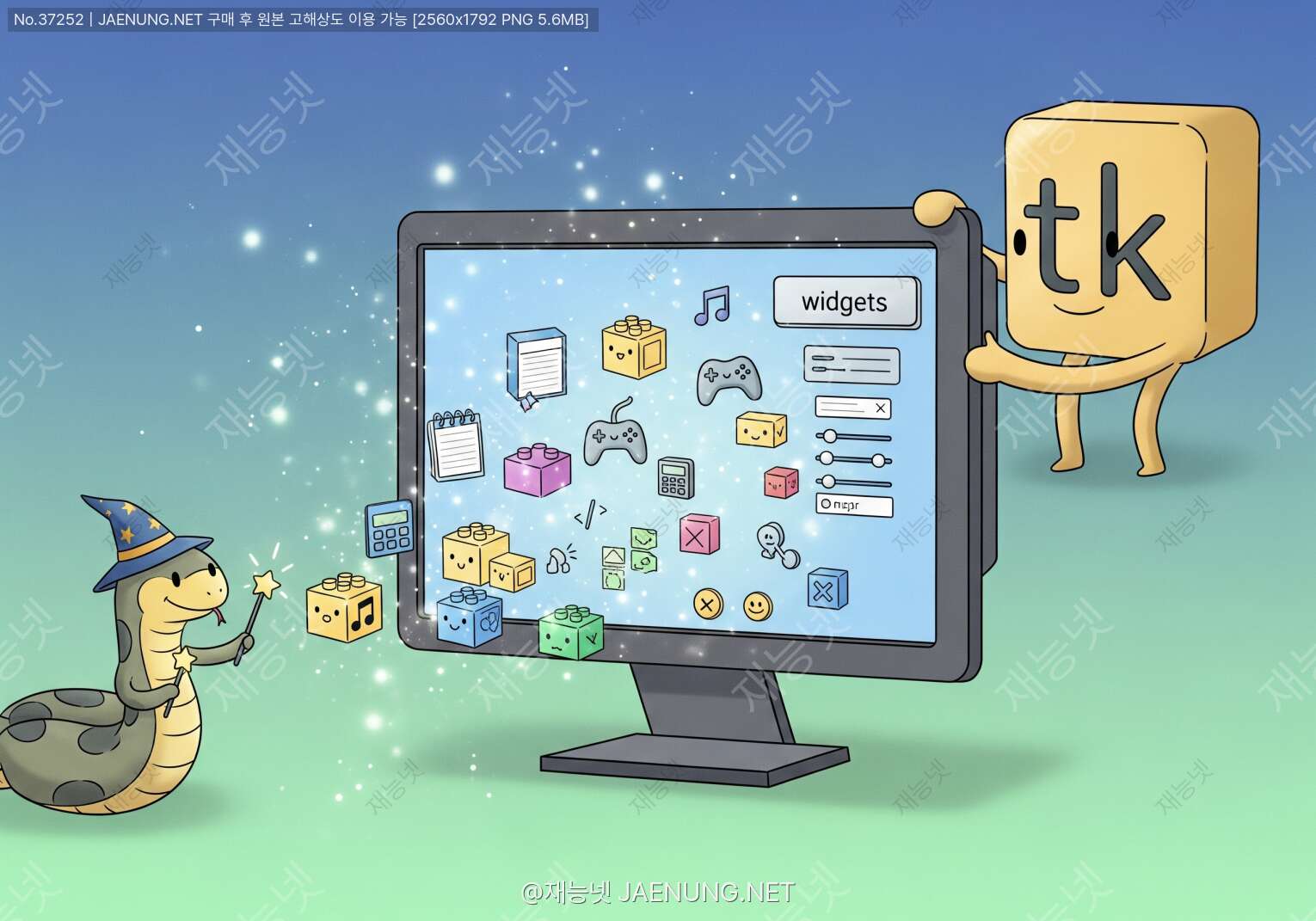
🎨 Python PyQt와 Tkinter로 만드는 나만의 데스크톱 애플리케이션 완벽 가이드
초보자도 쉽게 따라하는 GUI 프로그래밍의 모든 것
💡 안녕하세요! 오늘은 Python으로 멋진 데스크톱 애플리케이션을 만드는 방법에 대해 이야기해볼게요. 웹 개발도 좋지만, 내 컴퓨터에서 바로 실행되는 프로그램을 만드는 건 정말 특별한 경험이죠. 마치 내가 직접 도구를 만드는 장인이 된 것 같은 느낌이랄까요? 😊
이 글에서는 Python의 대표적인 GUI 라이브러리인 PyQt와 Tkinter를 활용해서 실제로 동작하는 애플리케이션을 만드는 방법을 친구에게 설명하듯 쉽고 재미있게 알려드릴게요!
🎯 GUI 프로그래밍, 왜 배워야 할까?
명령 프롬프트에서 텍스트만 주고받는 프로그램도 나름의 매력이 있지만, 버튼 클릭하고 마우스로 조작할 수 있는 프로그램은 차원이 다르죠. GUI(Graphical User Interface) 프로그래밍을 배우면 이런 것들을 만들 수 있어요:
✅ 업무 자동화 도구 - 반복적인 엑셀 작업을 버튼 하나로 해결
✅ 개인용 메모 앱 - 내 스타일대로 커스터마이징된 노트 프로그램
✅ 이미지 편집기 - 간단한 필터나 크기 조정 도구
✅ 데이터 시각화 대시보드 - 실시간으로 그래프가 업데이트되는 모니터링 툴
✅ 게임 - 간단한 퍼즐이나 아케이드 게임까지!
특히 재능넷 같은 플랫폼에서 프로그래밍 재능을 공유하거나 거래할 때, GUI 프로그램 개발 능력은 정말 큰 강점이 돼요. 클라이언트에게 "이런 프로그램 만들어드릴 수 있어요!"라고 시연할 수 있으니까요. 🚀
🔍 PyQt vs Tkinter: 어떤 걸 선택해야 할까?
자, 이제 본격적으로 두 라이브러리를 비교해볼까요? 각각의 특징을 알면 프로젝트에 맞는 선택을 할 수 있어요.
🎨 PyQt의 특징
장점:
• Qt 프레임워크 기반으로 매우 강력함
• 현대적이고 세련된 UI 디자인 가능
• 다양한 위젯과 고급 기능 제공
• 상용 프로그램 수준의 완성도
• Qt Designer로 드래그앤드롭 UI 제작
• 멀티미디어, 네트워크, 데이터베이스 지원
단점:
• 학습 곡선이 다소 가파름
• 별도 설치 필요 (pip install PyQt5)
• 상업용 라이선스 고려 필요
• 패키징 시 파일 크기가 큼
🎯 Tkinter의 특징
장점:
• Python 기본 내장 라이브러리
• 배우기 쉽고 직관적
• 가볍고 빠른 실행 속도
• 간단한 프로그램에 최적
• 풍부한 학습 자료와 커뮤니티
• 라이선스 걱정 없음
단점:
• 디자인이 다소 구식
• 고급 기능 제한적
• 복잡한 레이아웃 구성이 어려움
• 멀티미디어 기능 부족
💡 선택 가이드: 간단한 도구나 학습용이라면 Tkinter로 시작하세요. 전문적인 상용 프로그램을 목표로 한다면 PyQt를 추천해요. 사실 둘 다 배우면 상황에 맞게 선택할 수 있어서 가장 좋죠! 😊
🚀 Tkinter로 시작하는 첫 번째 애플리케이션
자, 이제 실전으로 들어가볼까요? Tkinter는 Python에 기본으로 포함되어 있어서 바로 시작할 수 있어요. 가장 간단한 "Hello World" 프로그램부터 만들어볼게요.
📝 Step 1: 기본 윈도우 만들기
모든 GUI 프로그램의 시작은 메인 윈도우를 만드는 거예요. 이건 마치 집을 지을 때 기초 공사를 하는 것과 같아요.
import tkinter as tk

# 메인 윈도우 생성
root = tk.Tk()
root.title("나의 첫 번째 프로그램")
root.geometry("400x300")  # 너비x높이

# 윈도우 실행
root.mainloop()
이 코드를 실행하면 400x300 픽셀 크기의 빈 윈도우가 나타나요. mainloop()는 프로그램이 계속 실행되면서 사용자의 입력을 기다리게 만드는 중요한 명령어예요. 이게 없으면 윈도우가 바로 꺼져버려요! 🔄
📝 Step 2: 위젯 추가하기
이제 버튼, 라벨, 입력창 같은 요소들을 추가해볼게요. 이런 요소들을 "위젯(Widget)"이라고 불러요.
import tkinter as tk

def button_click():
    label.config(text="버튼이 클릭되었습니다! 🎉")

root = tk.Tk()
root.title("위젯 예제")
root.geometry("400x300")

# 라벨 추가
label = tk.Label(root, text="안녕하세요!", font=("Arial", 16))
label.pack(pady=20)

# 버튼 추가
button = tk.Button(root, text="클릭하세요", command=button_click,
                   bg="#667eea", fg="white", font=("Arial", 12))
button.pack(pady=10)

# 입력창 추가
entry = tk.Entry(root, font=("Arial", 12))
entry.pack(pady=10)

root.mainloop()
여기서 pack()은 위젯을 자동으로 배치해주는 레이아웃 관리자예요. pady는 위아래 여백을 의미하죠. 버튼을 클릭하면 button_click 함수가 실행되면서 라벨의 텍스트가 바뀌는 걸 볼 수 있어요! ✨
🎨 실전 프로젝트: 간단한 메모장 만들기
이제 배운 내용을 활용해서 실제로 사용할 수 있는 메모장을 만들어볼게요. 파일 저장과 불러오기 기능까지 포함된 완전한 프로그램이에요!
import tkinter as tk
from tkinter import filedialog, messagebox

class SimpleMemoApp:
    def __init__(self, root):
        self.root = root
        self.root.title("심플 메모장 📝")
        self.root.geometry("600x400")

        # 메뉴바 생성
        menubar = tk.Menu(root)
        root.config(menu=menubar)

        file_menu = tk.Menu(menubar, tearoff=0)
        menubar.add_cascade(label="파일", menu=file_menu)
        file_menu.add_command(label="새 파일", command=self.new_file)
        file_menu.add_command(label="열기", command=self.open_file)
        file_menu.add_command(label="저장", command=self.save_file)
        file_menu.add_separator()
        file_menu.add_command(label="종료", command=root.quit)

        # 텍스트 영역
        self.text_area = tk.Text(root, font=("맑은 고딕", 11),
                                 wrap=tk.WORD, undo=True)
        self.text_area.pack(fill=tk.BOTH, expand=True, padx=5, pady=5)

        # 스크롤바
        scrollbar = tk.Scrollbar(self.text_area)
        scrollbar.pack(side=tk.RIGHT, fill=tk.Y)
        self.text_area.config(yscrollcommand=scrollbar.set)
        scrollbar.config(command=self.text_area.yview)

        # 상태바
        self.status_bar = tk.Label(root, text="준비",
                                   bd=1, relief=tk.SUNKEN, anchor=tk.W)
        self.status_bar.pack(side=tk.BOTTOM, fill=tk.X)

        self.current_file = None

    def new_file(self):
        self.text_area.delete(1.0, tk.END)
        self.current_file = None
        self.status_bar.config(text="새 파일")

    def open_file(self):
        file_path = filedialog.askopenfilename(
            defaultextension=".txt",
            filetypes=[("텍스트 파일", "*.txt"), ("모든 파일", "*.*")]
        )
        if file_path:
            try:
                with open(file_path, 'r', encoding='utf-8') as file:
                    content = file.read()
                    self.text_area.delete(1.0, tk.END)
                    self.text_area.insert(1.0, content)
                    self.current_file = file_path
                    self.status_bar.config(text=f"열림: {file_path}")
            except Exception as e:
                messagebox.showerror("오류", f"파일을 열 수 없습니다: {str(e)}")

    def save_file(self):
        if self.current_file:
            file_path = self.current_file
        else:
            file_path = filedialog.asksaveasfilename(
                defaultextension=".txt",
                filetypes=[("텍스트 파일", "*.txt"), ("모든 파일", "*.*")]
            )

        if file_path:
            try:
                content = self.text_area.get(1.0, tk.END)
                with open(file_path, 'w', encoding='utf-8') as file:
                    file.write(content)
                    self.current_file = file_path
                    self.status_bar.config(text=f"저장됨: {file_path}")
                    messagebox.showinfo("성공", "파일이 저장되었습니다!")
            except Exception as e:
                messagebox.showerror("오류", f"파일을 저장할 수 없습니다: {str(e)}")

# 프로그램 실행
if __name__ == "__main__":
    root = tk.Tk()
    app = SimpleMemoApp(root)
    root.mainloop()
와우! 이제 진짜 프로그램다운 모습이 나왔죠? 😍 이 메모장은 다음 기능들을 가지고 있어요:
✨ 메뉴바 - 파일 메뉴로 새 파일, 열기, 저장 기능
✨ 텍스트 편집기 - 자유롭게 글을 쓸 수 있는 영역
✨ 스크롤바 - 긴 텍스트도 편하게 읽기
✨ 상태바 - 현재 상태를 알려주는 하단 바
✨ 파일 대화상자 - 파일 선택을 위한 윈도우 창
✨ 에러 처리 - 문제 발생 시 친절한 메시지
⚠️ 주의사항: 파일을 다룰 때는 항상 예외 처리를 해줘야 해요. 파일이 없거나, 권한이 없거나, 인코딩 문제가 있을 수 있거든요. try-except 블록으로 감싸는 습관을 들이세요!
🎨 PyQt로 한 단계 업그레이드하기
Tkinter로 기본을 익혔다면, 이제 PyQt로 더 멋진 프로그램을 만들어볼 차례예요. PyQt는 Qt 프레임워크를 Python에서 사용할 수 있게 해주는 라이브러리인데, 정말 강력해요! 💪
📦 Step 1: PyQt5 설치하기
먼저 PyQt5를 설치해야 해요. 터미널이나 명령 프롬프트에서 다음 명령어를 실행하세요:
pip install PyQt5
pip install PyQt5-tools  # Qt Designer 등 추가 도구
설치가 완료되면 이제 PyQt의 세계로 들어갈 준비가 된 거예요! 🚪
📝 Step 2: PyQt 기본 구조 이해하기
PyQt는 객체 지향 프로그래밍(OOP) 방식을 사용해요. 클래스를 만들어서 프로그램을 구조화하는 방식이죠.
import sys
from PyQt5.QtWidgets import QApplication, QMainWindow, QLabel, QPushButton, QVBoxLayout, QWidget
from PyQt5.QtCore import Qt

class MyFirstApp(QMainWindow):
    def __init__(self):
        super().__init__()
        self.initUI()

    def initUI(self):
        # 윈도우 설정
        self.setWindowTitle('PyQt 첫 프로그램')
        self.setGeometry(100, 100, 400, 300)

        # 중앙 위젯 설정
        central_widget = QWidget()
        self.setCentralWidget(central_widget)

        # 레이아웃 생성
        layout = QVBoxLayout()

        # 라벨 추가
        label = QLabel('PyQt로 만든 프로그램입니다! 🎉')
        label.setAlignment(Qt.AlignCenter)
        label.setStyleSheet("font-size: 16px; color: #667eea;")
        layout.addWidget(label)

        # 버튼 추가
        button = QPushButton('클릭하세요')
        button.setStyleSheet("""
            QPushButton {
                background-color: #667eea;
                color: white;
                border: none;
                padding: 10px;
                font-size: 14px;
                border-radius: 5px;
            }
            QPushButton:hover {
                background-color: #764ba2;
            }
        """)
        button.clicked.connect(self.on_button_click)
        layout.addWidget(button)

        central_widget.setLayout(layout)

    def on_button_click(self):
        print("버튼이 클릭되었습니다!")

if __name__ == '__main__':
    app = QApplication(sys.argv)
    window = MyFirstApp()
    window.show()
    sys.exit(app.exec_())
PyQt의 코드가 Tkinter보다 좀 더 구조적이죠? 하지만 그만큼 강력한 기능을 제공해요. 특히 setStyleSheet로 CSS 스타일을 적용할 수 있다는 게 정말 큰 장점이에요! 🎨
🎯 실전 프로젝트: 이미지 뷰어 만들기
PyQt의 강력함을 보여줄 수 있는 이미지 뷰어를 만들어볼게요. 이미지를 불러오고, 확대/축소하고, 회전까지 할 수 있는 프로그램이에요!
import sys
from PyQt5.QtWidgets import (QApplication, QMainWindow, QLabel, QPushButton,
                             QVBoxLayout, QHBoxLayout, QWidget, QFileDialog, QSlider)
from PyQt5.QtGui import QPixmap, QTransform
from PyQt5.QtCore import Qt

class ImageViewer(QMainWindow):
    def __init__(self):
        super().__init__()
        self.current_image = None
        self.rotation_angle = 0
        self.scale_factor = 1.0
        self.initUI()

    def initUI(self):
        self.setWindowTitle('이미지 뷰어 📷')
        self.setGeometry(100, 100, 800, 600)

        # 중앙 위젯
        central_widget = QWidget()
        self.setCentralWidget(central_widget)

        # 메인 레이아웃
        main_layout = QVBoxLayout()

        # 이미지 표시 라벨
        self.image_label = QLabel('이미지를 불러오세요')
        self.image_label.setAlignment(Qt.AlignCenter)
        self.image_label.setStyleSheet("""
            QLabel {
                background-color: #f5f5f5;
                border: 2px dashed #667eea;
                border-radius: 10px;
                min-height: 400px;
            }
        """)
        main_layout.addWidget(self.image_label)

        # 컨트롤 버튼 레이아웃
        control_layout = QHBoxLayout()

        # 파일 열기 버튼
        open_btn = QPushButton('📁 이미지 열기')
        open_btn.setStyleSheet(self.get_button_style('#667eea'))
        open_btn.clicked.connect(self.open_image)
        control_layout.addWidget(open_btn)

        # 회전 버튼들
        rotate_left_btn = QPushButton('↶ 왼쪽 회전')
        rotate_left_btn.setStyleSheet(self.get_button_style('#42a5f5'))
        rotate_left_btn.clicked.connect(lambda: self.rotate_image(-90))
        control_layout.addWidget(rotate_left_btn)

        rotate_right_btn = QPushButton('↷ 오른쪽 회전')
        rotate_right_btn.setStyleSheet(self.get_button_style('#42a5f5'))
        rotate_right_btn.clicked.connect(lambda: self.rotate_image(90))
        control_layout.addWidget(rotate_right_btn)

        # 초기화 버튼
        reset_btn = QPushButton('🔄 초기화')
        reset_btn.setStyleSheet(self.get_button_style('#ff9800'))
        reset_btn.clicked.connect(self.reset_image)
        control_layout.addWidget(reset_btn)

        main_layout.addLayout(control_layout)

        # 확대/축소 슬라이더
        slider_layout = QHBoxLayout()
        slider_label = QLabel('확대/축소:')
        slider_layout.addWidget(slider_label)

        self.zoom_slider = QSlider(Qt.Horizontal)
        self.zoom_slider.setMinimum(10)
        self.zoom_slider.setMaximum(200)
        self.zoom_slider.setValue(100)
        self.zoom_slider.setTickPosition(QSlider.TicksBelow)
        self.zoom_slider.setTickInterval(10)
        self.zoom_slider.valueChanged.connect(self.zoom_image)
        slider_layout.addWidget(self.zoom_slider)

        self.zoom_label = QLabel('100%')
        slider_layout.addWidget(self.zoom_label)

        main_layout.addLayout(slider_layout)

        central_widget.setLayout(main_layout)

    def get_button_style(self, color):
        return f"""
            QPushButton {{
                background-color: {color};
                color: white;
                border: none;
                padding: 10px 20px;
                font-size: 14px;
                border-radius: 5px;
                font-weight: bold;
            }}
            QPushButton:hover {{
                background-color: {color}dd;
            }}
            QPushButton:pressed {{
                background-color: {color}aa;
            }}
        """

    def open_image(self):
        file_path, _ = QFileDialog.getOpenFileName(
            self, '이미지 선택', '',
            'Images (*.png *.jpg *.jpeg *.bmp *.gif)'
        )

        if file_path:
            self.current_image = QPixmap(file_path)
            self.rotation_angle = 0
            self.scale_factor = 1.0
            self.zoom_slider.setValue(100)
            self.display_image()

    def rotate_image(self, angle):
        if self.current_image:
            self.rotation_angle += angle
            self.display_image()

    def zoom_image(self, value):
        if self.current_image:
            self.scale_factor = value / 100.0
            self.zoom_label.setText(f'{value}%')
            self.display_image()

    def reset_image(self):
        if self.current_image:
            self.rotation_angle = 0
            self.scale_factor = 1.0
            self.zoom_slider.setValue(100)
            self.display_image()

    def display_image(self):
        if self.current_image:
            # 변환 적용
            transform = QTransform()
            transform.rotate(self.rotation_angle)
            transform.scale(self.scale_factor, self.scale_factor)

            transformed_image = self.current_image.transformed(transform, Qt.SmoothTransformation)

            # 라벨 크기에 맞게 조정
            scaled_image = transformed_image.scaled(
                self.image_label.size(),
                Qt.KeepAspectRatio,
                Qt.SmoothTransformation
            )

            self.image_label.setPixmap(scaled_image)

if __name__ == '__main__':
    app = QApplication(sys.argv)
    viewer = ImageViewer()
    viewer.show()
    sys.exit(app.exec_())
와! 이제 진짜 전문적인 프로그램이 나왔죠? 😎 이 이미지 뷰어는 다음과 같은 기능들을 가지고 있어요:
🖼️ 이미지 불러오기 - 다양한 포맷 지원 (PNG, JPG, BMP, GIF)
🔄 회전 기능 - 좌우로 90도씩 회전
🔍 확대/축소 - 슬라이더로 10%~200% 조절
↩️ 초기화 - 원본 상태로 복원
🎨 스타일링 - 버튼 호버 효과와 색상 구분
📐 비율 유지 - 이미지 왜곡 없이 표시
🎭 레이아웃 관리: 위젯을 예쁘게 배치하는 법
GUI 프로그래밍에서 레이아웃은 정말 중요해요. 아무리 좋은 기능이 있어도 배치가 엉망이면 사용하기 불편하거든요. 두 라이브러리 모두 다양한 레이아웃 관리자를 제공해요.
📦 Tkinter의 레이아웃 관리자
pack()
위젯을 위에서 아래로, 또는 좌우로 순차적으로 배치해요. 가장 간단하지만 복잡한 레이아웃은 어려워요.
button1.pack(side=tk.TOP)
button2.pack(side=tk.LEFT)
button3.pack(side=tk.RIGHT)
grid()
표 형태로 위젯을 배치해요. 행과 열을 지정해서 정확한 위치에 배치할 수 있어요.
label.grid(row=0, column=0)
entry.grid(row=0, column=1)
button.grid(row=1, column=0, columnspan=2)
place()
절대 좌표로 위젯을 배치해요. 픽셀 단위로 정확한 위치 지정이 가능하지만, 창 크기가 바뀌면 문제가 생길 수 있어요.
button.place(x=100, y=50)
label.place(relx=0.5, rely=0.5, anchor=tk.CENTER)
🎨 PyQt의 레이아웃 관리자
PyQt는 더 강력하고 유연한 레이아웃 시스템을 제공해요:
QVBoxLayout - 수직으로 위젯 배치 (위에서 아래로)
QHBoxLayout - 수평으로 위젯 배치 (좌에서 우로)
QGridLayout - 격자 형태로 배치
QFormLayout - 폼 형태로 라벨과 입력창 쌍으로 배치
QStackedLayout - 여러 페이지를 겹쳐서 배치하고 전환
from PyQt5.QtWidgets import QVBoxLayout, QHBoxLayout, QGridLayout

# 수직 레이아웃
v_layout = QVBoxLayout()
v_layout.addWidget(label1)
v_layout.addWidget(label2)

# 수평 레이아웃
h_layout = QHBoxLayout()
h_layout.addWidget(button1)
h_layout.addWidget(button2)

# 격자 레이아웃
grid_layout = QGridLayout()
grid_layout.addWidget(label, 0, 0)
grid_layout.addWidget(entry, 0, 1)
grid_layout.addWidget(button, 1, 0, 1, 2)  # 2열 병합

# 레이아웃 중첩
main_layout = QVBoxLayout()
main_layout.addLayout(h_layout)
main_layout.addLayout(grid_layout)
💡 레이아웃 팁: 복잡한 UI를 만들 때는 레이아웃을 중첩해서 사용하세요. 큰 틀을 먼저 나누고, 각 영역 안에서 다시 세부 레이아웃을 구성하는 방식이에요. 마치 레고 블록을 조립하듯이요! 🧱
🎪 이벤트 처리: 사용자와 소통하기
프로그램이 사용자의 행동에 반응하려면 이벤트 처리가 필수예요. 버튼 클릭, 키보드 입력, 마우스 움직임 등 모든 것이 이벤트죠!
🎯 Tkinter의 이벤트 처리
Tkinter는 bind() 메서드로 이벤트를 연결해요:
import tkinter as tk

def on_key_press(event):
    print(f"키 입력: {event.char}")

def on_mouse_click(event):
    print(f"마우스 클릭: ({event.x}, {event.y})")

def on_mouse_motion(event):
    label.config(text=f"마우스 위치: ({event.x}, {event.y})")

root = tk.Tk()
root.geometry("400x300")

label = tk.Label(root, text="이벤트를 기다리는 중...")
label.pack(pady=20)

# 키보드 이벤트
root.bind('<Key>', on_key_press)
root.bind('<Return>', lambda e: print("엔터 키!"))

# 마우스 이벤트
root.bind('<Button-1>', on_mouse_click)  # 왼쪽 클릭
root.bind('<Motion>', on_mouse_motion)   # 마우스 이동

root.mainloop()
주요 이벤트 종류들이에요:
<Button-1> - 왼쪽 마우스 버튼 클릭
<Button-3> - 오른쪽 마우스 버튼 클릭
<Double-Button-1> - 더블 클릭
<Key> - 아무 키나 입력
<Return> - 엔터 키
<Motion> - 마우스 이동
<Enter> - 마우스가 위젯 위로 들어옴
<Leave> - 마우스가 위젯에서 나감
⚡ PyQt의 Signal & Slot
PyQt는 Signal과 Slot이라는 독특한 메커니즘을 사용해요. 이게 정말 강력하고 깔끔한 방식이에요!
from PyQt5.QtWidgets import QApplication, QMainWindow, QPushButton, QLabel, QVBoxLayout, QWidget
from PyQt5.QtCore import pyqtSignal, QObject

class CustomSignal(QObject):
    # 커스텀 시그널 정의
    message_sent = pyqtSignal(str)

class SignalSlotDemo(QMainWindow):
    def __init__(self):
        super().__init__()
        self.custom_signal = CustomSignal()
        self.initUI()

    def initUI(self):
        self.setWindowTitle('Signal & Slot 예제')
        self.setGeometry(100, 100, 400, 300)

        central_widget = QWidget()
        self.setCentralWidget(central_widget)
        layout = QVBoxLayout()

        self.label = QLabel('버튼을 클릭하세요')
        layout.addWidget(self.label)

        # 기본 시그널 연결
        button1 = QPushButton('기본 클릭')
        button1.clicked.connect(self.on_button_clicked)
        layout.addWidget(button1)

        # 람다 함수로 인자 전달
        button2 = QPushButton('인자와 함께')
        button2.clicked.connect(lambda: self.show_message("안녕하세요!"))
        layout.addWidget(button2)

        # 커스텀 시그널 연결
        button3 = QPushButton('커스텀 시그널')
        button3.clicked.connect(lambda: self.custom_signal.message_sent.emit("커스텀 메시지"))
        self.custom_signal.message_sent.connect(self.on_custom_signal)
        layout.addWidget(button3)

        central_widget.setLayout(layout)

    def on_button_clicked(self):
        self.label.setText('버튼이 클릭되었습니다!')

    def show_message(self, message):
        self.label.setText(message)

    def on_custom_signal(self, message):
        self.label.setText(f'커스텀 시그널 수신: {message}')

if __name__ == '__main__':
    import sys
    app = QApplication(sys.argv)
    demo = SignalSlotDemo()
    demo.show()
    sys.exit(app.exec_())
Signal & Slot의 장점:
✨ 타입 안정성 - 잘못된 연결을 컴파일 시점에 감지
✨ 느슨한 결합 - 시그널 발신자와 수신자가 서로를 몰라도 됨
✨ 다대다 연결 - 하나의 시그널을 여러 슬롯에 연결 가능
✨ 스레드 안전 - 다른 스레드 간 통신도 안전하게 처리
🎨 스타일링: 프로그램을 예쁘게 꾸미기
기능도 중요하지만, 보기 좋은 프로그램이 사용하기도 좋죠! 두 라이브러리 모두 스타일링 방법을 제공해요.
🖌️ Tkinter 스타일링
Tkinter는 각 위젯의 옵션으로 스타일을 지정해요:
import tkinter as tk
from tkinter import ttk

root = tk.Tk()
root.title("스타일링 예제")
root.geometry("400x300")
root.configure(bg='#f0f0f0')

# 기본 위젯 스타일링
label = tk.Label(
    root,
    text="스타일이 적용된 라벨",
    font=("Arial", 16, "bold"),
    fg="#667eea",
    bg="#f0f0f0",
    padx=20,
    pady=10
)
label.pack(pady=20)

# 버튼 스타일링
button = tk.Button(
    root,
    text="멋진 버튼",
    font=("Arial", 12),
    fg="white",
    bg="#667eea",
    activebackground="#764ba2",
    activeforeground="white",
    relief=tk.FLAT,
    padx=30,
    pady=10,
    cursor="hand2"
)
button.pack(pady=10)

# ttk 위젯으로 더 나은 스타일
style = ttk.Style()
style.theme_use('clam')  # 테마 선택: 'clam', 'alt', 'default', 'classic'

style.configure(
    'Custom.TButton',
    font=('Arial', 12),
    borderwidth=0,
    focuscolor='none'
)

style.map(
    'Custom.TButton',
    background=[('active', '#764ba2'), ('!active', '#667eea')],
    foreground=[('active', 'white'), ('!active', 'white')]
)

ttk_button = ttk.Button(root, text="TTK 버튼", style='Custom.TButton')
ttk_button.pack(pady=10)

root.mainloop()
💡 Tkinter 스타일링 팁: 기본 Tkinter 위젯보다 ttk 위젯을 사용하면 더 현대적인 느낌을 줄 수 있어요. 테마도 적용할 수 있고, 운영체제 네이티브 스타일과도 잘 어울려요!
🎨 PyQt 스타일시트 (QSS)
PyQt는 CSS와 비슷한 QSS(Qt Style Sheets)를 사용해요. 웹 개발 경험이 있다면 정말 친숙할 거예요!
from PyQt5.QtWidgets import QApplication, QMainWindow, QPushButton, QLabel, QVBoxLayout, QWidget

class StyledApp(QMainWindow):
    def __init__(self):
        super().__init__()
        self.initUI()

    def initUI(self):
        self.setWindowTitle('PyQt 스타일링')
        self.setGeometry(100, 100, 500, 400)

        # 전역 스타일시트 적용
        self.setStyleSheet("""
            QMainWindow {
                background-color: #f5f5f5;
            }
            QLabel {
                color: #333;
                font-size: 16px;
                padding: 10px;
            }
            QLabel#title {
                color: #667eea;
                font-size: 24px;
                font-weight: bold;
            }
        """)

        central_widget = QWidget()
        self.setCentralWidget(central_widget)
        layout = QVBoxLayout()

        # ID 선택자 사용
        title = QLabel('스타일이 적용된 제목')
        title.setObjectName('title')
        layout.addWidget(title)

        # 개별 스타일 적용
        button1 = QPushButton('그라디언트 버튼')
        button1.setStyleSheet("""
            QPushButton {
                background: qlineargradient(
                    x1:0, y1:0, x2:1, y2:1,
                    stop:0 #667eea, stop:1 #764ba2
                );
                color: white;
                border: none;
                border-radius: 10px;
                padding: 15px 30px;
                font-size: 14px;
                font-weight: bold;
            }
            QPushButton:hover {
                background: qlineargradient(
                    x1:0, y1:0, x2:1, y2:1,
                    stop:0 #764ba2, stop:1 #667eea
                );
            }
            QPushButton:pressed {
                padding: 16px 29px 14px 31px;
            }
        """)
        layout.addWidget(button1)

        button2 = QPushButton('그림자 효과 버튼')
        button2.setStyleSheet("""
            QPushButton {
                background-color: white;
                color: #667eea;
                border: 2px solid #667eea;
                border-radius: 8px;
                padding: 12px 25px;
                font-size: 14px;
            }
            QPushButton:hover {
                background-color: #667eea;
                color: white;
            }
        """)
        layout.addWidget(button2)

        central_widget.setLayout(layout)

if __name__ == '__main__':
    import sys
    app = QApplication(sys.argv)
    window = StyledApp()
    window.show()
    sys.exit(app.exec_())
QSS에서 사용할 수 있는 주요 속성들이에요:
색상: color, background-color, border-color
폰트: font-size, font-weight, font-family
여백: padding, margin
테두리: border, border-radius, border-style
그라디언트: qlineargradient, qradialgradient
이미지: background-image, border-image
🗂️ 실전 프로젝트: 할 일 관리 앱 만들기
이제 배운 내용을 모두 활용해서 실용적인 할 일 관리 앱을 만들어볼게요. PyQt로 만들 거예요!
import sys
import json
from datetime import datetime
from PyQt5.QtWidgets import (QApplication, QMainWindow, QWidget, QVBoxLayout,
                             QHBoxLayout, QLineEdit, QPushButton, QListWidget,
                             QListWidgetItem, QLabel, QMessageBox, QCheckBox)
from PyQt5.QtCore import Qt

class TodoApp(QMainWindow):
    def __init__(self):
        super().__init__()
        self.todos = []
        self.load_todos()
        self.initUI()

    def initUI(self):
        self.setWindowTitle('할 일 관리 📝')
        self.setGeometry(100, 100, 600, 500)

        # 전역 스타일
        self.setStyleSheet("""
            QMainWindow {
                background-color: #f8f9fa;
            }
            QLineEdit {
                padding: 12px;
                border: 2px solid #e0e0e0;
                border-radius: 8px;
                font-size: 14px;
                background-color: white;
            }
            QLineEdit:focus {
                border-color: #667eea;
            }
            QListWidget {
                border: 2px solid #e0e0e0;
                border-radius: 8px;
                background-color: white;
                padding: 5px;
            }
            QListWidget::item {
                padding: 10px;
                border-bottom: 1px solid #f0f0f0;
            }
            QListWidget::item:selected {
                background-color: #e3f2fd;
                color: #1976d2;
            }
        """)

        central_widget = QWidget()
        self.setCentralWidget(central_widget)
        main_layout = QVBoxLayout()

        # 헤더
        header = QLabel('📋 나의 할 일 목록')
        header.setStyleSheet("""
            font-size: 24px;
            font-weight: bold;
            color: #667eea;
            padding: 20px;
        """)
        header.setAlignment(Qt.AlignCenter)
        main_layout.addWidget(header)

        # 입력 영역
        input_layout = QHBoxLayout()

        self.todo_input = QLineEdit()
        self.todo_input.setPlaceholderText('할 일을 입력하세요...')
        self.todo_input.returnPressed.connect(self.add_todo)
        input_layout.addWidget(self.todo_input)

        add_btn = QPushButton('➕ 추가')
        add_btn.setStyleSheet(self.get_button_style('#667eea'))
        add_btn.clicked.connect(self.add_todo)
        input_layout.addWidget(add_btn)

        main_layout.addLayout(input_layout)

        # 할 일 목록
        self.todo_list = QListWidget()
        self.todo_list.itemDoubleClicked.connect(self.toggle_todo)
        main_layout.addWidget(self.todo_list)

        # 버튼 영역
        button_layout = QHBoxLayout()

        complete_btn = QPushButton('✅ 완료 표시')
        complete_btn.setStyleSheet(self.get_button_style('#4caf50'))
        complete_btn.clicked.connect(self.toggle_selected_todo)
        button_layout.addWidget(complete_btn)

        delete_btn = QPushButton('🗑️ 삭제')
        delete_btn.setStyleSheet(self.get_button_style('#f44336'))
        delete_btn.clicked.connect(self.delete_todo)
        button_layout.addWidget(delete_btn)

        clear_btn = QPushButton('🧹 완료된 항목 정리')
        clear_btn.setStyleSheet(self.get_button_style('#ff9800'))
        clear_btn.clicked.connect(self.clear_completed)
        button_layout.addWidget(clear_btn)

        main_layout.addLayout(button_layout)

        # 통계 라벨
        self.stats_label = QLabel()
        self.stats_label.setStyleSheet("""
            font-size: 12px;
            color: #666;
            padding: 10px;
        """)
        self.stats_label.setAlignment(Qt.AlignCenter)
        main_layout.addWidget(self.stats_label)

        central_widget.setLayout(main_layout)

        self.update_list()
        self.update_stats()

    def get_button_style(self, color):
        return f"""
            QPushButton {{
                background-color: {color};
                color: white;
                border: none;
                padding: 10px 15px;
                font-size: 13px;
                border-radius: 6px;
                font-weight: bold;
            }}
            QPushButton:hover {{
                background-color: {color}dd;
            }}
            QPushButton:pressed {{
                background-color: {color}aa;
            }}
        """

    def add_todo(self):
        text = self.todo_input.text().strip()
        if text:
            todo = {
                'text': text,
                'completed': False,
                'created': datetime.now().strftime('%Y-%m-%d %H:%M')
            }
            self.todos.append(todo)
            self.todo_input.clear()
            self.update_list()
            self.update_stats()
            self.save_todos()

    def update_list(self):
        self.todo_list.clear()
        for i, todo in enumerate(self.todos):
            item_text = f"{'✅' if todo['completed'] else '⭕'} {todo['text']}"
            if todo['completed']:
                item_text = f"<s>{item_text}</s>"

            item = QListWidgetItem(item_text)
            if todo['completed']:
                item.setForeground(Qt.gray)
            self.todo_list.addItem(item)

    def toggle_todo(self, item):
        index = self.todo_list.row(item)
        self.todos[index]['completed'] = not self.todos[index]['completed']
        self.update_list()
        self.update_stats()
        self.save_todos()

    def toggle_selected_todo(self):
        current_row = self.todo_list.currentRow()
        if current_row >= 0:
            self.todos[current_row]['completed'] = not self.todos[current_row]['completed']
            self.update_list()
            self.update_stats()
            self.save_todos()

    def delete_todo(self):
        current_row = self.todo_list.currentRow()
        if current_row >= 0:
            reply = QMessageBox.question(
                self, '확인',
                '선택한 항목을 삭제하시겠습니까?',
                QMessageBox.Yes | QMessageBox.No
            )
            if reply == QMessageBox.Yes:
                del self.todos[current_row]
                self.update_list()
                self.update_stats()
                self.save_todos()

    def clear_completed(self):
        completed_count = sum(1 for todo in self.todos if todo['completed'])
        if completed_count > 0:
            reply = QMessageBox.question(
                self, '확인',
                f'완료된 {completed_count}개 항목을 삭제하시겠습니까?',
                QMessageBox.Yes | QMessageBox.No
            )
            if reply == QMessageBox.Yes:
                self.todos = [todo for todo in self.todos if not todo['completed']]
                self.update_list()
                self.update_stats()
                self.save_todos()

    def update_stats(self):
        total = len(self.todos)
        completed = sum(1 for todo in self.todos if todo['completed'])
        remaining = total - completed

        self.stats_label.setText(
            f'전체: {total} | 완료: {completed} | 남은 항목: {remaining}'
        )

    def save_todos(self):
        try:
            with open('todos.json', 'w', encoding='utf-8') as f:
                json.dump(self.todos, f, ensure_ascii=False, indent=2)
        except Exception as e:
            print(f"저장 오류: {e}")

    def load_todos(self):
        try:
            with open('todos.json', 'r', encoding='utf-8') as f:
                self.todos = json.load(f)
        except FileNotFoundError:
            self.todos = []
        except Exception as e:
            print(f"불러오기 오류: {e}")
            self.todos = []

if __name__ == '__main__':
    app = QApplication(sys.argv)
    todo_app = TodoApp()
    todo_app.show()
    sys.exit(app.exec_())
이 할 일 관리 앱은 정말 실용적이에요! 다음 기능들이 포함되어 있어요:
✅ 할 일 추가 - 엔터키나 버튼으로 간편하게 추가
✅ 완료 표시 - 더블클릭이나 버튼으로 완료/미완료 토글
✅ 삭제 기능 - 확인 대화상자와 함께 안전하게 삭제
✅ 완료 항목 정리 - 완료된 항목들을 한번에 제거
✅ 통계 표시 - 전체/완료/남은 항목 수 실시간 표시
✅ 데이터 저장 - JSON 파일로 자동 저장 및 불러오기
✅ 세련된 UI - 현대적인 디자인과 색상 구성
🔧 고급 기능: 더 나아가기
기본을 넘어서 더 전문적인 기능들을 알아볼까요?
🎭 다이얼로그와 메시지 박스
사용자와의 상호작용을 위해 다양한 대화상자를 사용할 수 있어요:
# Tkinter 다이얼로그
from tkinter import messagebox, filedialog, simpledialog, colorchooser

# 메시지 박스
messagebox.showinfo("정보", "작업이 완료되었습니다!")
messagebox.showwarning("경고", "주의가 필요합니다.")
messagebox.showerror("오류", "문제가 발생했습니다.")

result = messagebox.askyesno("확인", "계속하시겠습니까?")
result = messagebox.askokcancel("확인", "변경사항을 저장하시겠습니까?")

# 파일 대화상자
file_path = filedialog.askopenfilename(title="파일 선택")
save_path = filedialog.asksaveasfilename(title="저장 위치")
folder_path = filedialog.askdirectory(title="폴더 선택")

# 입력 대화상자
name = simpledialog.askstring("입력", "이름을 입력하세요:")
age = simpledialog.askinteger("입력", "나이를 입력하세요:")

# 색상 선택
color = colorchooser.askcolor(title="색상 선택")
# PyQt 다이얼로그
from PyQt5.QtWidgets import QMessageBox, QFileDialog, QInputDialog, QColorDialog

# 메시지 박스
QMessageBox.information(self, "정보", "작업이 완료되었습니다!")
QMessageBox.warning(self, "경고", "주의가 필요합니다.")
QMessageBox.critical(self, "오류", "문제가 발생했습니다.")

reply = QMessageBox.question(self, "확인", "계속하시겠습니까?",
                             QMessageBox.Yes | QMessageBox.No)

# 파일 대화상자
file_path, _ = QFileDialog.getOpenFileName(self, "파일 선택")
save_path, _ = QFileDialog.getSaveFileName(self, "저장 위치")
folder_path = QFileDialog.getExistingDirectory(self, "폴더 선택")

# 입력 대화상자
name, ok = QInputDialog.getText(self, "입력", "이름을 입력하세요:")
age, ok = QInputDialog.getInt(self, "입력", "나이를 입력하세요:")
items = ["옵션1", "옵션2", "옵션3"]
item, ok = QInputDialog.getItem(self, "선택", "항목을 선택하세요:", items)

# 색상 선택
color = QColorDialog.getColor()
📊 테이블과 트리 뷰
데이터를 표 형태로 보여주는 것도 중요하죠:
# PyQt 테이블 예제
from PyQt5.QtWidgets import QTableWidget, QTableWidgetItem

class TableExample(QMainWindow):
    def __init__(self):
        super().__init__()
        self.initUI()

    def initUI(self):
        self.setWindowTitle('테이블 예제')
        self.setGeometry(100, 100, 600, 400)

        # 테이블 생성
        table = QTableWidget()
        table.setRowCount(5)
        table.setColumnCount(3)
        table.setHorizontalHeaderLabels(['이름', '나이', '직업'])

        # 데이터 입력
        data = [
            ['홍길동', '25', '개발자'],
            ['김철수', '30', '디자이너'],
            ['이영희', '28', '기획자'],
            ['박민수', '35', '매니저'],
            ['정수진', '27', '마케터']
        ]

        for row, person in enumerate(data):
            for col, value in enumerate(person):
                table.setItem(row, col, QTableWidgetItem(value))

        # 스타일링
        table.setStyleSheet("""
            QTableWidget {
                gridline-color: #e0e0e0;
                background-color: white;
            }
            QHeaderView::section {
                background-color: #667eea;
                color: white;
                padding: 8px;
                font-weight: bold;
            }
        """)

        # 열 너비 자동 조정
        table.resizeColumnsToContents()

        self.setCentralWidget(table)
🎨 캔버스와 그래픽
직접 그림을 그리거나 커스텀 그래픽을 만들 수도 있어요:
# Tkinter 캔버스
import tkinter as tk

root = tk.Tk()
canvas = tk.Canvas(root, width=400, height=300, bg='white')
canvas.pack()

# 도형 그리기
canvas.create_line(0, 0, 400, 300, fill='blue', width=2)
canvas.create_rectangle(50, 50, 150, 150, fill='red', outline='black')
canvas.create_oval(200, 50, 350, 200, fill='green')
canvas.create_polygon(200, 250, 300, 280, 250, 200, fill='yellow')

# 텍스트
canvas.create_text(200, 150, text='캔버스 예제', font=('Arial', 20))

root.mainloop()
# PyQt 그래픽
from PyQt5.QtWidgets import QWidget
from PyQt5.QtGui import QPainter, QColor, QPen
from PyQt5.QtCore import Qt

class DrawingWidget(QWidget):
    def __init__(self):
        super().__init__()
        self.setMinimumSize(400, 300)

    def paintEvent(self, event):
        painter = QPainter(self)
        painter.setRenderHint(QPainter.Antialiasing)

        # 배경
        painter.fillRect(self.rect(), QColor(255, 255, 255))

        # 선 그리기
        pen = QPen(QColor(0, 0, 255), 2)
        painter.setPen(pen)
        painter.drawLine(0, 0, 400, 300)

        # 사각형
        painter.setBrush(QColor(255, 0, 0))
        painter.drawRect(50, 50, 100, 100)

        # 원
        painter.setBrush(QColor(0, 255, 0))
        painter.drawEllipse(200, 50, 150, 150)

        # 텍스트
        painter.setPen(QColor(0, 0, 0))
        painter.setFont(QFont('Arial', 20))
        painter.drawText(self.rect(), Qt.AlignCenter, '그래픽 예제')
📦 프로그램 배포하기
멋진 프로그램을 만들었다면 다른 사람들과 공유하고 싶겠죠? 실행 파일로 만드는 방법을 알아볼게요!
🎁 PyInstaller로 실행 파일 만들기
PyInstaller는 Python 프로그램을 독립 실행 파일로 변환해주는 도구예요:
# PyInstaller 설치
pip install pyinstaller

# 기본 실행 파일 생성
pyinstaller your_program.py

# 단일 파일로 생성 (권장)
pyinstaller --onefile your_program.py

# 콘솔 창 숨기기 (GUI 프로그램용)
pyinstaller --onefile --noconsole your_program.py

# 아이콘 지정
pyinstaller --onefile --noconsole --icon=icon.ico your_program.py

# 이름 지정
pyinstaller --onefile --noconsole --name="MyApp" your_program.py
⚠️ 주의사항: PyInstaller로 만든 실행 파일은 크기가 꽤 커요 (보통 10MB 이상). 이는 Python 인터프리터와 필요한 라이브러리들이 모두 포함되기 때문이에요. 또한 백신 프로그램이 오탐지할 수 있으니, 배포 전에 VirusTotal 같은 서비스로 검사해보세요!
🎨 cx_Freeze 사용하기
cx_Freeze는 또 다른 대안이에요:
# cx_Freeze 설치
pip install cx_Freeze

# setup.py 파일 생성
from cx_Freeze import setup, Executable

setup(
    name="MyApp",
    version="1.0",
    description="나의 멋진 프로그램",
    executables=[Executable("your_program.py", base="Win32GUI")]
)

# 빌드 실행
python setup.py build
💡 실전 팁과 베스트 프랙티스
프로그래밍을 하다 보면 알아두면 좋은 팁들이 있어요. 제가 경험한 것들을 공유할게요! 😊
🎯 코드 구조화
클래스 사용하기: 모든 것을 하나의 파일에 넣지 말고, 기능별로 클래스를 나누세요. 예를 들어 데이터 처리는 별도 클래스로, UI는 또 다른 클래스로 분리하는 거죠.
MVC 패턴: Model(데이터), View(UI), Controller(로직)를 분리하면 유지보수가 훨씬 쉬워져요.
설정 파일 사용: 프로그램 설정은 JSON이나 INI 파일로 관리하세요. 코드를 수정하지 않고도 설정을 바꿀 수 있어요.
🐛 디버깅과 에러 처리
로깅 활용: print() 대신 logging 모듈을 사용하세요. 나중에 문제를 추적하기 훨씬 쉬워요.
import logging

logging.basicConfig(
    level=logging.DEBUG,
    format='%(asctime)s - %(levelname)s - %(message)s',
    filename='app.log'
)

logging.debug('디버그 메시지')
logging.info('정보 메시지')
logging.warning('경고 메시지')
logging.error('에러 메시지')
예외 처리: 모든 파일 작업, 네트워크 요청, 사용자 입력은 try-except로 감싸세요.
⚡ 성능 최적화
스레딩 사용: 시간이 오래 걸리는 작업은 별도 스레드에서 실행하세요. UI가 멈추지 않아요!
from PyQt5.QtCore import QThread, pyqtSignal

class WorkerThread(QThread):
    finished = pyqtSignal(str)

    def run(self):
        # 시간이 오래 걸리는 작업
        result = self.do_heavy_work()
        self.finished.emit(result)

    def do_heavy_work(self):
        # 실제 작업 수행
        import time
        time.sleep(5)
        return "작업 완료!"

# 사용
worker = WorkerThread()
worker.finished.connect(self.on_work_finished)
worker.start()
이미지 최적화: 큰 이미지는 미리 리사이즈해서 사용하세요. 메모리를 절약할 수 있어요.
🌟 재능넷에서 GUI 프로그래밍 재능 공유하기
이제 여러분은 멋진 데스크톱 애플리케이션을 만들 수 있게 되었어요! 이런 능력은 재능넷 같은 플랫폼에서 정말 가치 있는 재능이에요. 다음과 같은 서비스를 제공할 수 있죠:
💼 업무 자동화 프로그램 개발 엑셀 데이터 처리, 파일 정리, 이메일 자동 발송 등 반복 작업을 자동화하는 프로그램을 만들어드릴 수 있어요.
📊 데이터 시각화 대시보드
실시간으로 데이터를 모니터링하고 그래프로 보여주는 프로그램이 필요한 분들이 많아요.
🎨 커스텀 도구 제작
이미지 일괄 편집기, PDF 변환기, 파일 이름 일괄 변경기 등 특정 목적의 도구를 만들어드릴 수 있어요.
🎓 교육용 프로그램
학습 관리, 퀴즈 프로그램, 성적 관리 시스템 등 교육 분야에서도 수요가 많아요.
🎮 간단한 게임
퍼즐 게임, 카드 게임, 보드 게임 등을 만들어드릴 수도 있죠!
재능넷에서 서비스를 제공할 때는 다음을 강조하세요:
✨ 포트폴리오 준비: 여러분이 만든 프로그램들의 스크린샷과 기능 설명을 준비하세요.
✨ 데모 영상: 프로그램이 실제로 동작하는 모습을 짧은 영상으로 보여주면 신뢰도가 높아져요.
✨ 명확한 가격 책정: 프로그램의 복잡도에 따라 단계별 가격을 제시하세요.
✨ 사후 지원: 버그 수정이나 간단한 기능 추가는 무료로 지원한다고 명시하면 좋아요.
🎓 더 배우고 싶다면?
GUI 프로그래밍의 세계는 정말 넓어요. 여기서 배운 것은 시작에 불과하죠! 더 깊이 공부하고 싶다면 이런 것들을 추천해요:
📚 공식 문서:
• Tkinter: https://docs.python.org/3/library/tkinter.html
• PyQt5:
https://www.riverbankcomputing.com/static/Docs/PyQt5/• Qt Documentation:
https://doc.qt.io/
🎥 온라인 강의:
• YouTube에 무료 강의가 정말 많아요
• Udemy, Coursera 등에서 체계적인 강의 수강
• 한국어 강의도 많으니 찾아보세요!
💻 실습 프로젝트:
• GitHub에서 오픈소스 프로젝트 참여
• 자신만의 프로젝트 만들어보기
• 다른 사람의 코드 읽고 분석하기
👥 커뮤니티:
• Stack Overflow에서 질문하고 답변하기
• Reddit의 r/learnpython, r/Python
• 한국 Python 커뮤니티 참여
🎉 마무리하며
와! 정말 긴 여정이었죠? 😅 하지만 이제 여러분은 Python으로 멋진 데스크톱 애플리케이션을 만들 수 있는 능력을 갖추게 되었어요!
Tkinter로 시작해서 간단한 프로그램을 만들고, PyQt로 더 전문적인 애플리케이션을 개발하는 방법까지 배웠어요. 레이아웃 관리, 이벤트 처리, 스타일링, 그리고 실전 프로젝트까지 다뤘죠.
기억하세요:
🎯 처음부터 완벽할 필요는 없어요. 작은 프로젝트부터 시작하세요.
🎯 에러는 배움의 기회예요. 포기하지 마세요.
🎯 다른 사람의 코드를 읽고 분석하는 것도 큰 도움이 돼요.
🎯 꾸준히 연습하면 반드시 실력이 늘어요.
🎯 커뮤니티에 참여해서 질문하고 공유하세요.
GUI 프로그래밍은 정말 재미있고 보람찬 분야예요. 자신이 만든 프로그램이 실제로 동작하는 걸 보면 정말 뿌듯하거든요! 💪
여러분의 창의력과 이 글에서 배운 기술을 결합하면, 정말 멋진 프로그램들을 만들 수 있을 거예요. 그리고 그 재능을 재능넷 같은 플랫폼에서 다른 사람들과 공유하면서 수익도 창출할 수 있죠!
자, 이제 여러분의 차례예요! 컴퓨터를 켜고, Python을 실행하고, 첫 번째 GUI 프로그램을 만들어보세요. 작은 시작이 큰 변화를 만들어낼 거예요! 🚀
행운을 빌어요! 그리고 멋진 프로그램 만들어서 꼭 자랑해주세요! 😊✨
🎊 Happy Coding! 🎊
이 글이 도움이 되었다면, 여러분만의 프로젝트를 시작해보세요!

댓글 작성
이 글에 대한 여러분의 생각을 들려주세요
로그인이 필요합니다
댓글을 작성하려면 먼저 로그인해주세요.
댓글 0
지식인의 숲 - 지적 재산권 보호 고지
지적 재산권 보호 고지
- 저작권 및 소유권: 본 컨텐츠는 재능넷의 독점 AI 기술로 생성되었으며, 대한민국 저작권법 및 국제 저작권 협약에 의해 보호됩니다.
- AI 생성 컨텐츠의 법적 지위: 본 AI 생성 컨텐츠는 재능넷의 지적 창작물로 인정되며, 관련 법규에 따라 저작권 보호를 받습니다.
- 사용 제한: 재능넷의 명시적 서면 동의 없이 본 컨텐츠를 복제, 수정, 배포, 또는 상업적으로 활용하는 행위는 엄격히 금지됩니다.
- 데이터 수집 금지: 본 컨텐츠에 대한 무단 스크래핑, 크롤링, 및 자동화된 데이터 수집은 법적 제재의 대상이 됩니다.
- AI 학습 제한: 재능넷의 AI 생성 컨텐츠를 타 AI 모델 학습에 무단 사용하는 행위는 금지되며, 이는 지적 재산권 침해로 간주됩니다.





아직 댓글이 없습니다.